Jun 13

FontBook 5.3

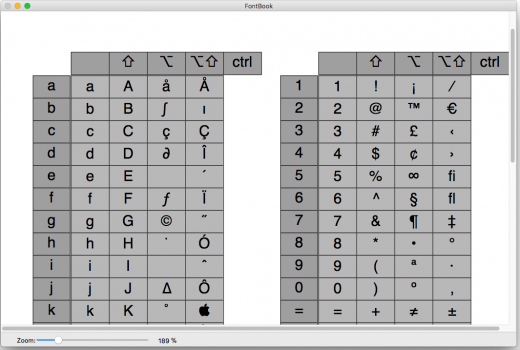
Description: FontBook is the ultimate font utility for all macOSusers who require a quick, easy and comprehensive overview of all their fonts.

Let FontBook display uninstalled fonts on the screen in various layouts. You can print reference pages with selected fonts to assess the typeface, sizes and impression. Or you can find keyboard shortcuts for less-used special characters.

In short, FontBook is the ideal font utility if you regularly have to look for a suitable font or special character.

What’s New

Version 5.3:

  • Release notes were unavailable when this listing was updated.

Release Names: FontBook 5.3
Size: 27 MB
Links: HOMEPAGE – NFO – Torrent Search

Download: UPLOADGiG – NiTROFLARE – RAPiDGATOR

5 Comments
Jun 13

TinkerTool System 6.995

Description: TinkerTool System 6 is a collection of system utility features helping you in performing advanced administration tasks on Apple Macintosh computers. The application makes use of a self-adapting user interface which automatically adjusts to the computer model and to the version of macOS you are running.

All options available in the current situation are accessible via “panes”, very similar to the techniques you already know from the System Preferences application. The features are controlled via a single window which allows you to use the application as a general toolbox and First Aid assistant.
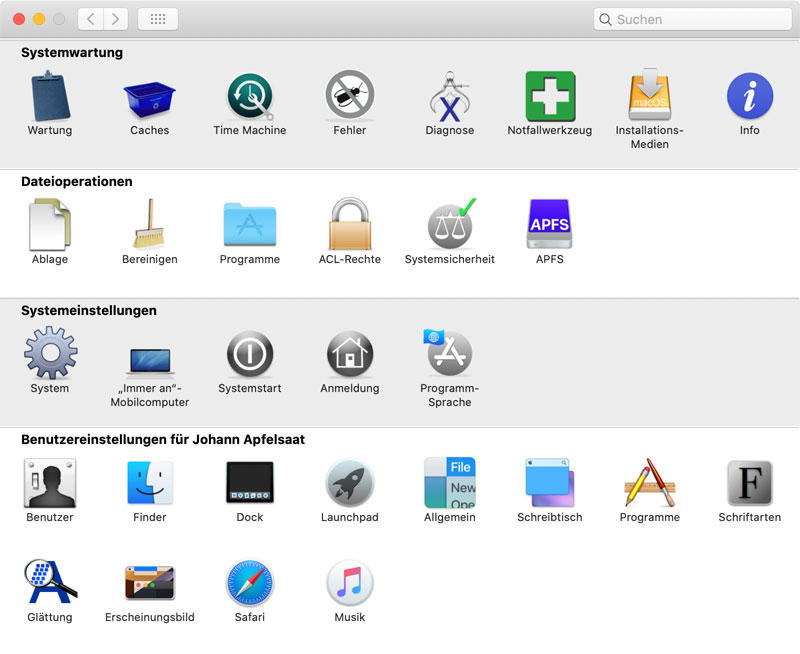
This includes:

• built-in maintenance features of macOS, usually not visible on the graphical user interface,
• extended file operations, not available in the macOS Finder,
• the possibility to access advanced system settings which are not visible in System Preferences,
• genuine and unique features of TinkerTool System, designed to resolve typical real-world problems of administrators and to fix the effects of certain defects (“bugs”) in the operating system, • an emergency tool to troubleshoot and repair macOS in cases where the graphical user interface is no longer starting correctly or the user account of the system administrator has been damaged,
• functions to collect advanced information about the hardware, operating system, and applications.

Together with its sister program TinkerTool which is available at no charge, TinkerTool System is a perfect substitute for the following types of system utilities:

• Finder enhancers,
• Cache and font cache cleaners,
• Scripts to create bootable system installer and recovery disks,
• Tools to access hidden preference settings,
• Applications to make objects invisible in the Finder,
• Log file browsers,
• Application uninstallers,
• Single User Mode troubleshooting tools,
• Spell-checker dictionary editors,
• and many others.

Release Name: TinkerTool System 6.995
Size: 29 MB
Links: HOMEPAGE – NFO – Torrent Search

Download: UPLOADGiG – NiTROFLARE – RAPiDGATOR

5 Comments
Jun 13

Battery Indicator 2.13.1

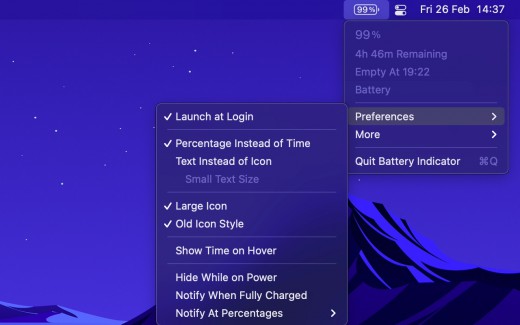
Description: Shows the remaining battery time and percentage in the menu bar.

The app has a setting to hide the menu bar icon when the power plug is connected, which can be useful if you only care about the battery time/percentage when on battery.

You can hide the system battery indicator by dragging its icon out of the menu bar while pressing the Command key. You can also reorder menu bar icons by dragging them around while pressing the Command key. That means you can place this app exactly where the system battery indicator used to live.

There’s also a preference to notify when the battery is fully charged or at certain percentages.

It also comes with support for Shortcuts (on macOS 12).

Requires a MacBook, MacBook Pro, or MacBook Air.

What’s New

Version 2.13.1:

  • Bug fixes

Release Names: Battery Indicator 2.13.1
Size: 8.00 MB
Links: HOMEPAGE – NFO – Torrent Search

Download: UPLOADGiG – NiTROFLARE – RAPiDGATOR

6 Comments
Jun 13

FonePaw WhatsApp Transfer for iOS 1.3.0

Description: iOS WhatsApp Transfer: Sync Your WhatsApp Chats Anywhere

Features

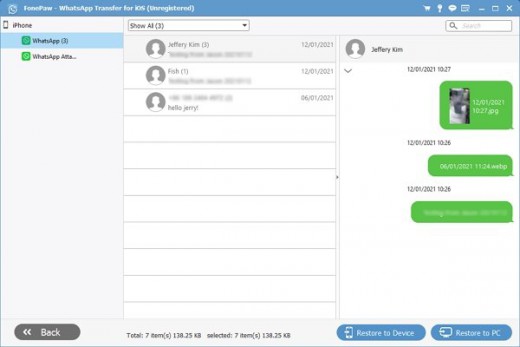
  • Transfer WhatsApp messages & media files between iPhones.
  • Back up and restore WhatsApp data to Mac or iPhone/iPad.
  • Export WhatsApp chat history on computer.

What’s New

Version 1.3.0:

  • Release notes were unavailable when this listing was updated.

Release Names: FonePaw WhatsApp Transfer for iOS 1.3.0
Size: 56 MB
Links: HOMEPAGE – NFO – Torrent Search

Download: UPLOADGiG – NiTROFLARE – RAPiDGATOR

5 Comments
Jun 13

FonePaw iOS System Recovery 7.1.0

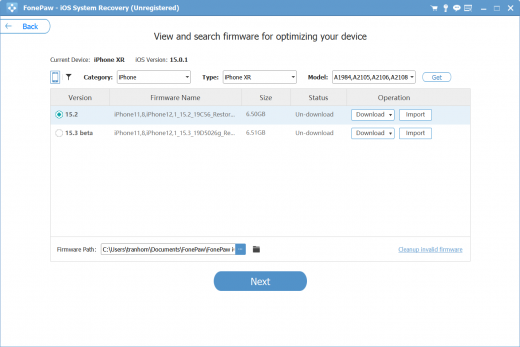
Description: Get Your iPhone Back to Normal. Fix All Common iOS System Problems. Up to 50+ common problems of OS can be fixed via FonePaw iOS System Recovery. In addition to the issues below, more iOS update problems or app errors are supported.

Features

  • Fix 50+ iOS system problems[black screen, stuck in updating, etc.
  • 3 repairing modes to fix quickly or deeply
  • Require no technical skills and avoid data loss
  • Compatible with iPhone 13 and the latest iOS 15


What’s New

Version 7.1.0:

  • Release notes were unavailable when this listing was updated.

Release Names: FonePaw iOS System Recovery 7.1.0
Size: 55.07 MB
Links: HOMEPAGE – NFO – Torrent Search

Download: UPLOADGiG – NiTROFLARE – RAPiDGATOR

5 Comments
Jun 13

System Dashboard 4.2.1

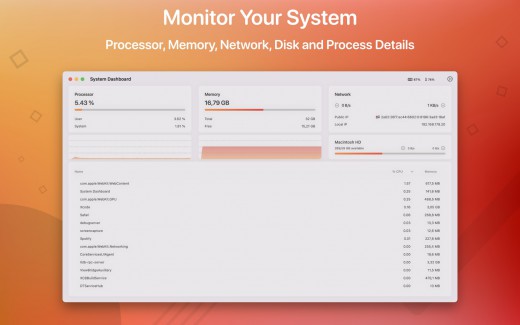
Description: System Dashboard shows the processor, memory, network and disk usages in a small and lightweight window.

The System Dashboard shows all the important characteristics of your system on a single page.\

Features:

System Overview

The main window of this app will show the most important and interesting parameters of your system on a single window.

Processor

This category shows the total, user and system CPU usage. The number of threads and tasks is also shown.

Memory

This category shows the used, wired, compressed and free memory of your system.

Network

The network category shows the current download- and upload speed but also the number of open connections and your internet IP address.

Batteries

The app also checks the battery status of connected Bluetooth devices. All Apple peripherals are supported.

What’s New

Version 4.2.1:

  • General code improvements.

Release Names: System Dashboard 4.2.1
Size: 6.24 MB
Links: HOMEPAGE – NFO – Torrent Search

Download: UPLOADGiG – NiTROFLARE – RAPiDGATOR
4 Comments
Jun 13

Desktop Stickers 1.6

Description: Your thoughts are the source of your emotions and mood. The conversations you have with yourself can be destructive or beneficial. Most people need to learn how to cultivate positive thoughts and dispel the negative ones.

Self-talk can enhance your performance and general well-being. For example, research shows self-talk can help athletes with performance.
Self-talk is a huge part of our self-esteem.

Examples

1- Negative: I’m overweight.
Positive: “I am strong,
I am capable,
I want to get fit for me.”

2- Negative: “I’m lost the project.
Positive: I can reach my goal
step by step.”

3- Negative: “I don’t like what’s happening around here.”
Positive: “I accept the things that I can’t change,
I will change the things I can.”

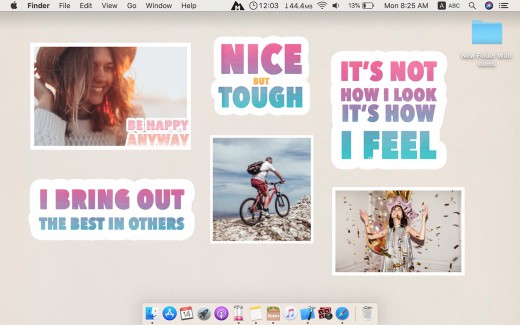
Desktop Stickers helps you to repeat positive self-talk everyday.

How Desktop Stickers work?

1- Select a sticker
2- Click Done to add it to your desktop (So you can review daily)
3- Repeat out loud the words everyday.
4- You can add custom photos to be stickers on desktop also. Example: Happy and good moments that you love.

What’s New

Version 1.6:

  • Release notes were unavailable when this listing was updated.

Release Names: Desktop Stickers 1.6
Size: 38.75 MB
Links: HOMEPAGE – NFO – Torrent Search

Download: UPLOADGiG – NiTROFLARE – RAPiDGATOR

4 Comments
Jun 13

Text Workflow 1.1

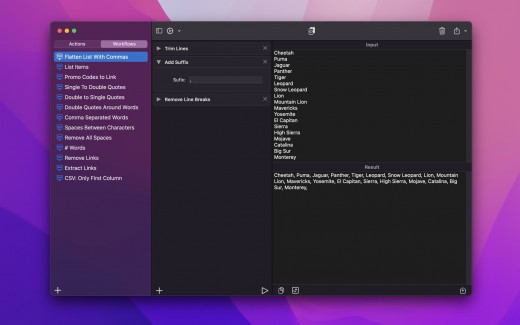
Description: A powerful and easy to use tool that will help you transform your text. Text Workflow removes the need to perform repetitive tasks manually on your text.

Combine transformation actions to create powerful automations for your text. Save your transformation workflows to use them any time you want.

Available text transformation actions

  • • Add prefix
    • Add suffix
    • Replace text
    • Sort lines
  • alphabetically
  • reverse
  • shuffle
  • by length
    • Trim Lines
    • Add line number
    • Break lines
  • after every word
  • after every sentence
  • after text
  • before text
    • Convert Case
  • uppercase
  • lowercase
  • title case
  • camel case
  • pascal case
    • Delete Characters
  • selected characters
  • non-alphanumeric
  • numeric characters
  • non numeric
  • tabs
  • spaces
  • characters after position
  • characters before position
  • last characters
  • emojis
  • characters after text
  • characters before text
    • Insert Text
  • at first line
  • at last line
  • every line (position)
  • before every word
  • after every word
  • before text
  • after text
  • after every character
    • Delete Lines
  • containing text
  • starting with text
  • not containing text
  • not starting with text
    • Remove line breaks
    • Remove multiple spaces
    • Remove duplicates lines
    • Remove duplicates words
    • Remove empty lines
    • Delete/Filter words
  • containing text
  • starting with text
  • not containing text
  • not starting with text
    • Spell out lines
    • Get Statistics
  • count characters
  • count words
  • count lines
    • Encode/Decode
  • Base64
  • URL
    • Encrypt/Decrypt Text with password
    • Beautify JSON
    • Beautify XML

You can combine all these actions to create your custom transformation workflows!
Export your workflows to file and share them easily with other users!

What’s New

Version 1.1:

  • Release notes were unavailable when this listing was updated.

Release Names: Text Workflow 1.1
Size: 6.8 MB
Links: HOMEPAGE – NFO – Torrent Search

Download: UPLOADGiG – NiTROFLARE – RAPiDGATOR
5 Comments
Jun 13

Hyperkey 0.18

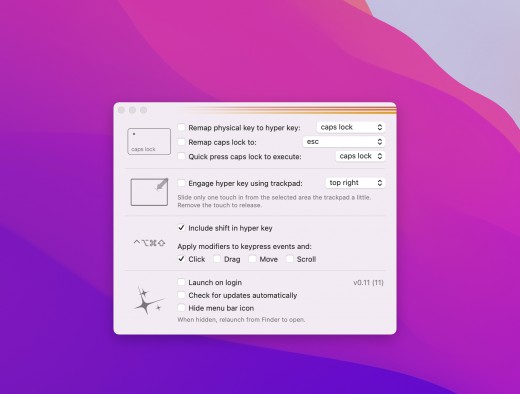
Description: Hyperkey allows you to convert your caps lock key or any of your modifier keys to the hyper key: ⌃⌥⌘⇧

The hyper key acts as an additional modifier key that you can use in all of your other apps that have keyboard shortcuts

Don’t want to sacrifice a key?

Use a simple one touch gesture built just for activating the hyper key. Slide one touch down from the top edge of the trackpad to activate and remove the touch to release

What’s New

Version 0.18:

  • Bug fix for ignoring applications not working properly
    Now F1 through F24 can be remapped to the hyper key

Release Names: Hyperkey 0.18
Size: 15 MB
Links: HOMEPAGE – NFO – Torrent Search

Download: UPLOADGiG – NiTROFLARE – RAPiDGATOR

6 Comments
Jun 13

SQLPro for MSSQL 2022.36


Description:
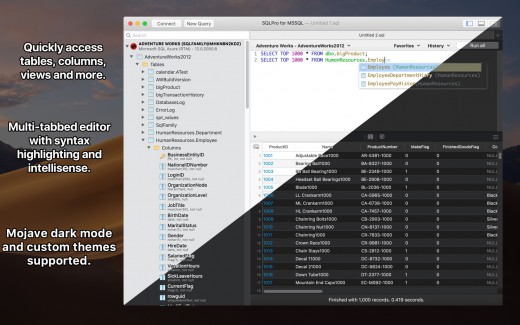
SQLPro for MSSQL (was SQL Client) is a lightweight TDS client, allowing quick and simple access to Microsoft SQL servers (sqlserver), including those hosted in Azure. This client does not work with MySQL. Please ensure that your server is a Microsoft SQL server.


Features

  • Syntax highlighting
  • Intellisense
  • Tab-based interface
  • Support for executing multiple queries at once
  • Quick access to tables, columns, and more
  • Stored procedure execution

SQLPro for MSSQL can be used to connect with the following databases:

  • Microsoft SQL Azure
  • Microsoft SQL Server 2005
  • Microsoft SQL Server 2008
  • Microsoft SQL Server 2008 R2
  • Microsoft SQL Server 2012
  • Microsoft SQL Server 2014
  • Microsoft SQL Server 2016

What’s New

Version 2022.36:

  • Fixed a crash that some users were seeing when exporting results.

Release Names: SQLPro for MSSQL 2022.36
Size: 24.36 MB
Links: HOMEPAGE – NFO – Torrent Search

Download: UPLOADGiG – NiTROFLARE – RAPiDGATOR
4 Comments