Feb 10

Ultra Fractal 6.06 Extended Edition

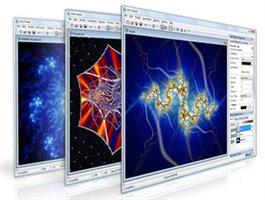
Description: Ultra Fractal 6 is a great way to create your own fractal art. Today, fractals are much more than the Mandelbrot sets that you may have seen before. With Ultra Fractal, you can choose from thousands of fractal types and coloring algorithms, zoom in as far as you want, use gradients to add color, and apply multiple layers to combine different fractals in one image. Ultra Fractal is very easy to use and yet more capable than any other fractal program. No mathematics required!
Get started quickly with the integrated tutorials
It is easy and fun to start using Ultra Fractal with the built-in tutorials. Starting with the basics, you will soon learn how to create your own fractals, change the colors, add layers, use masks, and even create animations. You can also download the PDF manual to print the tutorials.

Explore thousands of fractal types and coloring options
First explore the standard fractal types in Ultra Fractal to get familiar with them. Then connect to the online formula database to download thousands of additional fractal formulas and coloring algorithms contributed by other users.
Formulas can also use plug-ins which lets you easily mix and match features. By combining different plug-ins, the possibilities truly become endless. For more information, see Plug-ins in the Ultra Fractal help file.
Finding the best formulas and classes is made easy by the formula rating system.

Enjoy ultra-fast deep zooming
You can zoom to virtually unlimited depths with Ultra Fractal. Deep zooming is fully integrated and works with all fractal types and coloring options, even those you have written yourself. And thanks to the new perturbation calculations algorithm in Ultra Fractal 6, images that previously took hours or days to generate are now completed within minutes!
Use the classic selection box shown above, or zoom with the mouse by Shift-dragging or double-clicking inside the fractal window. Panning, rotating, stretching, and skewing are also possible, of course.

Tweak parameters with the versatile Explore feature
Choosing parameter values is a breeze with the new Explore feature. Experiment with new parameter values by moving the mouse cursor over a coordinate grid in the Explore window, while the Fractal Mode tool window shows a real-time preview of the result.
Explore works with integer, floating-point, and complex parameters.

Color your fractals and add transparency effects
Coloring your fractals is easy with Ultra Fractal’s gradient editor. Drag the gradient curves up and down to create smooth ranges of colors, or use the Randomize options to quickly try various color combinations. You can also use the gradient editor to add transparency effects.

Windows requirements
Ultra Fractal 6 is designed to run on any computer with Windows 10, 8, 7, Vista or XP, but it works best with Windows 10. The new High DPI support requires Windows 10 or Windows 8.1.
Ultra Fractal will run on any CPU that works with Windows, but Intel Core i7 or i5 processors are recommended for best performance. Ultra Fractal will seamlessly take advantage of multi-core and multi-processor systems.
The OpenGL graphics acceleration in Ultra Fractal 6 works with almost any graphics card. If the card is not supported, OpenGL acceleration is turned off automatically.
A monitor resolution of at least 1920 x 1200 pixels (HD) is recommended to work comfortably. High DPI (4K/5K) monitors are highly recommended to take advantage of the high resolution support in Ultra Fractal 6. This lets you view your fractals in almost print-like resolution on the screen.
On 64-bit systems, 4 GB of memory (RAM) is recommended; 2 GB on 32-bit systems and 1 GB for Windows XP. More memory will enable you to create larger fractals with more layers. If you want to create large flame fractals, or if you want to render large images or animations with motion blur, more memory is always better.
Installing Ultra Fractal on your hard disk takes less than 20 MB, but you will want to reserve extra space to store fractals and rendered images. When rendering animations, you need enough free disk space for temporary data, depending on the length and size of the animation.

Release Name: Ultra Fractal 6.06 Extended Edition
Size: 41.3 MB
Links: HOMEPAGE – NFO – Torrent Search

Download: FiKPERNiTROFLARERAPiDGATOR

3 Comments
Feb 10

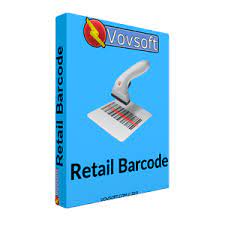
VovSoft Retail Barcode 5.6 Multilingual

Description: Retail Barcode is a lightweight cashier application that can help users keep track of products sales. The tool allows one to define customers, as well as to link product credit sales to individual clients. The utility is valuable for anyone that is in the business of managing small shops. It is an ideal solution for small shops that are faced with a wide variety of products that have to be processed. Shops that do not stock items with barcodes can circumvent this issue by simply creating a customized store code (e.g. 1, 2, 3 and so on).

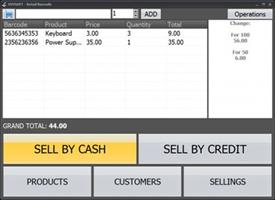
Retail Barcode features a highly intuitive interface that is streamlined for an improved user-experience. Navigation is performed exclusively through large and self-explanatory buttons (e.g. Products or Customers). The program features a host of built-in interface layout options, which can suit most needs. In order to record sales, one must first define products. This is performed manually, by inserting the product’s barcode, name and price. Once this is performed, the program is ready to record regular sales.

All users have to do is to select the given item and specify the quantity of items sold. The utility then automatically computes total sales and stocks. Another method of operation is the Sell by Credit mode. This allows one to register product displacements that have not yet been paid for. Complementary to this method is the customer register. It allows store owners or cashiers to keep track of clients that purchase by credit. This module is a great method of keeping track of delayed transactions. Once a customer transfers the necessary sum, the balance is cleared. This means that all sales (by credit and by cash) can be processed with the same program. Sales totals for user-defined time intervals can also be generated.

Release Name: VovSoft Retail Barcode 5.6 Multilingual
Size: 6.8 MB
Links: HOMEPAGE – NFO – Torrent Search

Download: FiKPERNiTROFLARERAPiDGATOR

Comments Off
Feb 9

FSNotes 6.6.7

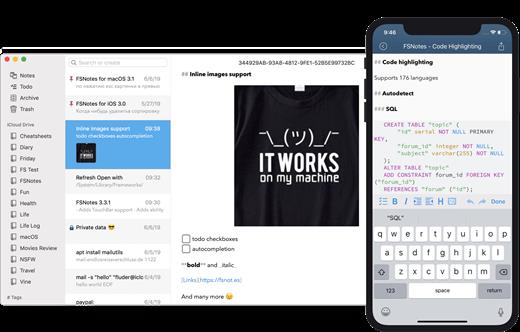
FSNotes is a plain-text note manager for macOS, and is modern reinvention of notational velocity (nvALT) on steroids. Our application respects the following open formats: plain/text, Markdown, and RTF, and stores data in the file system. You can view, edit, and copy data in your favourite external editor, and see live results in FSNotes.

Features:

  • ICloud synchronization
  • Keyboard centric
  • Global shortcuts (clipboard save / search field)
  • Markdown and RTF markup (files stored on disk as plain/text and rich text)
  • Markdown preview mode
  • Elastic two pane view (vertical and horizontal layout)
  • Blazing fast and lightweight
  • Open files in finder / works with external editors (changes seamless live sync with UI)
  • Pin/unpin important notes in top
  • Multi folder storage
  • Markdown live highlighting with over 170 languages in code blocks

What’s New

Version 6.6.7:

  • Release notes were unavailable when this listing was updated.

Compatibility

macOS 10.14 or later


Release Name: FSNotes 6.6.7
Size: 26.7 MB
Links: HOMEPAGE – NFO – Torrent Search

Download: FiKPERNiTROFLARERAPiDGATOR

3 Comments
Feb 9

Capture One 23 Pro 16.3.5.10

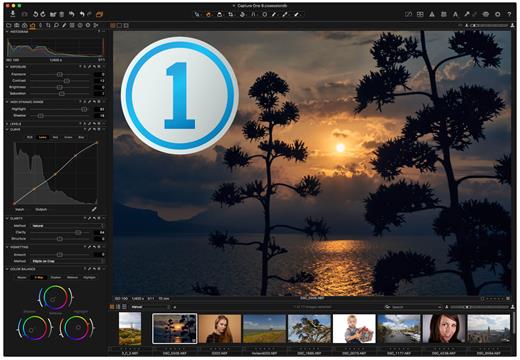
Capture One is a professional RAW converter offering you ultimate image quality with accurate colors and incredible detail from more than 400 high-end cameras – straight out of the box. It offers state-of-the-art tethered capture, powerful digital asset management, extensive adjustment tools, and a flexible workflow.

With an updated processing engine, market-leading performance, and powerful new features, Capture One is the professional choice in imaging software. You get the highly responsive precision tools you need to create stunning images from your camera’s RAW files in a time-saving workflow that can be customized to fit your needs.

What’s New

Version 16.3.5.10:

  • Release notes were unavailable when this listing was updated.

Compatibility

macOS 10.13.0 or later
Apple Silicon or Intel Core processor


Release Name: Capture One 23 Pro 16.3.5.10
Size: 965.6 MB
Links: HOMEPAGE – NFO – Torrent Search

Download: FiKPERNiTROFLARERAPiDGATOR

4 Comments
Feb 9

Notebooks 3.3.6

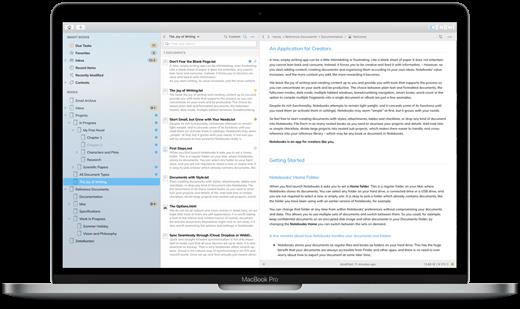
Notebooks is the only notebook you ever need. It allows you to create as many books as you need to write, store and structure your details of life, and it will quickly become the one and only repository for all journals, ideas, notes, drafts and diaries but also for your projects, task lists, documents, files and everything else you want to keep close at hand.

Notebooks stores and displays almost any type of document: plain text and formatted text, PDF, web pages, MS Office or iWork documents, photos, videos, music and much more. Everything you would usually print out and file can now go directly into Notebooks, without adding bulk. Notebooks also keeps your task lists and allows you to tick off your to-dos as you complete them. Divide your projects into nested sub projects, which makes them easier to handle, and cross-reference into your reference library, which, of course, is in Notebooks, too. So whether you need to write something down or look something up, Notebooks is the place to go.

*** You need to disable the System Integrity Protection (SIP) to perform the selected Application***

What’s New

Version 3.3.6:

  • Release notes were unavailable when this listing was updated.

Compatibility

macOS 10.11 or later


Release Name: Notebooks 3.3.6
Size: 18.3 MB
Links: HOMEPAGE – NFO – Torrent Search

Download: FiKPERNiTROFLARERAPiDGATOR

3 Comments
Feb 9

Perfectly Clear WorkBench 4.6.0.2638

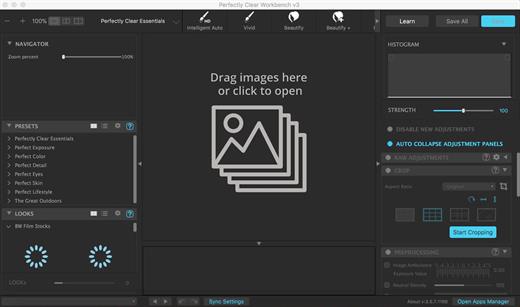
Perfectly Clear Workbench is an application that uses Athentech’s Perfectly Clear image correction libraries and is made available to demonstrate the capabilities of the Perfectly Clear processing libraries, face detection library and to allow a quick export of the processing settings for use.

Supported Image Formats:

Perfectly Clear requires RGB-formatted images in either 8 or 16-bit color depth. Any image file that Photoshop or Lightroom can open and convert to this format may be used in Perfectly Clear. Monochrome and CMYK images must be converted to RGB before using Perfectly Clear. RAW files must be opened through Adobe Camera RAW and loaded into Photoshop to be accessible to Perfectly Clear.

What’s New

Version 4.6.0.2638:

  • Release notes were unavailable when this listing was updated.

Compatibility

macOS 10.10 or later
Apple Silicon or Intel Core processor


Release Name: Perfectly Clear WorkBench 4.6.0.2638
Size: 197.7 MB
Links: HOMEPAGE – NFO – Torrent Search

Download: FiKPERNiTROFLARERAPiDGATOR

3 Comments
Feb 9

Steinberg Dorico 5.1.10

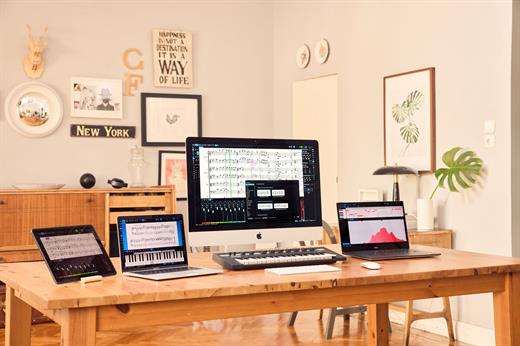
Dorico helps you to write music notation, automatically producing printed results of exceptional quality — and plays it back with breathtaking realism. It is easy enough for anyone to learn, yet has hundreds of advanced notations, features, options and sounds to satisfy even the most demanding professionals.

What you can do with Dorico?

Compose

  • Composing, arranging — or just writing and printing out music — is made much quicker and more efficient with Dorico. Thanks to its intelligent design, it automatically adjusts the notation as you write. With nearly 1,500 sounds included, arrangements can be played back with exceptional realism and, with no workarounds needed for advanced notation, Dorico produces excellent results much more quickly than has been possible before.

Learn

  • With its streamlined, natural user interface, students and those with less experience in scoring can compose and arrange straight into Dorico, making learning the language of music notation much faster and more intuitive. Editing and making changes — such as instrument, time signature or key — are straightforward, with the notation instantly and correctly adapting to include them, reinforcing the learning outcome. For teachers, producing teaching materials and hand-outs that mix music and text is easy, and it’s never been quicker to adapt arrangements for your band, orchestra or other school ensemble.

Publish

  • Dorico is the perfect tool for music engraving, publishing and copying. It automatically lays out pages of balance and beauty, with comprehensive collision avoidance and advanced algorithms that handle almost any musical context with ease. Music made with Dorico has the look of the finest traditionally engraved music, and the software provides tweaking tools to satisfy the most demanding professional. Producing high-quality, crystal-clear scores for selling or performance has never been faster or easier.

Benefits

  • Best automatic engraving of any software
  • Easy note input
  • Intelligently adjusts notation as you write
  • Any number of movements or pieces in a single project
  • Automatic layout of instrumental parts, including unique linked cues
  • Stunning playback — nearly 1,500 sounds included
  • Supports VST 3 virtual instruments and effects processors (30 included)
  • Sequencer-style piano roll MIDI editor
  • DTP page layout
  • Sophisticated chord symbols, unpitched percussion and drum set notation
  • Unbarred music, tuplets across barlines, microtonality, etc. all handled correctly — no workarounds
  • Transfer to and from other programs via MusicXML, MIDI, PDF, etc.

What’s New

Version 5.1.10:

  • Release notes were unavailable when this listing was updated.

Compatibility

macOS 10.10 or later


Release Name: Steinberg Dorico 5.1.10
Size: 667 MB
Links: HOMEPAGE – NFO – Torrent Search

Download: FiKPERNiTROFLARERAPiDGATOR

5 Comments
Feb 9

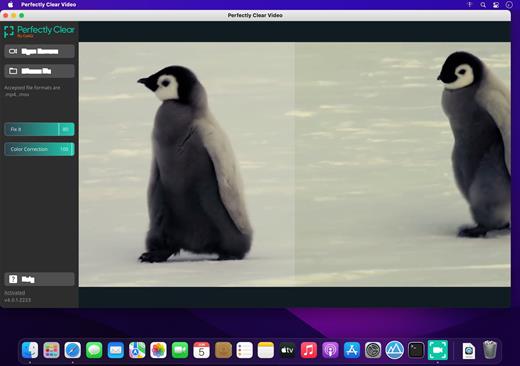
Perfectly Clear Video 4.6.0.2638

Power Your Video with Perfectly Clear’s AI Automatic Video Enhancement.

Say goodbye to camera limitations and bad lighting.

Open the possibilities of using AI enhanced video in your business. This automatic AI video enhancement technology is revolutionizing the industry by using artificial intelligence to increase the quality of your video frame by frame.

Simple, real-time automatic video enhancement

If you’re going to enhance video with AI, it needs to be done right. We took care of the complicated part so your business can benefit from a simple, easy solution.

Perfectly Clear Video will automatically

  • Bring your video to life with light and color correction
  • Remove tint
  • Powerfully recover highlights
  • Create better contour, depth, and color tone on faces
  • Vividly enhance skies and foliage
  • Provide an exceptional exposure correction on any backlit videos

Implement AI video enhancement anywhere

No matter what industry you’re in, businesses have one thing in common when it comes to video: it can be a challenge. The quality of video has always been reliant on lighting, until now.

Perfectly Clear Video is an automatic AI video enhancement solution that can be implemented wherever you need it. This groundbreaking technology can be used in real time or on pre recorded videos. Whether you’re looking to put video quality enhancement in your app or directly into a phone, you can with this AI video enhancer. We created Perfectly Clear Video so you can use video anywhere, any way.

What makes our AI video enhancement unique?

The AI video enhancer system uses deep learning video enhancement to reproduce the corrections that professional manual editors made. The AI technology imitates light to locally light up specific areas of the shot and adds other corrections such as color vibrancy and tint correction. These corrections are then applied to the video, resulting in an AI-enhanced video that mimics professional work.

Bye tedious editing, hello automatic!

This technology was built for your business to license to your customers. Consumers no longer have to worry about how to color grade or adjust— they just use the slider bar or an automatic button. Our AI video enhancer is simple— we make video look its best, automatically.

What’s New

Version 4.6.0.2638:

  • Release notes were unavailable when this listing was updated.

Compatibility

macOS 10.9 or later


Release Name: Perfectly Clear Video 4.6.0.2638
Size: 78.8 MB
Links: HOMEPAGE – NFO – Torrent Search

Download: FiKPERNiTROFLARERAPiDGATOR

3 Comments
Feb 9

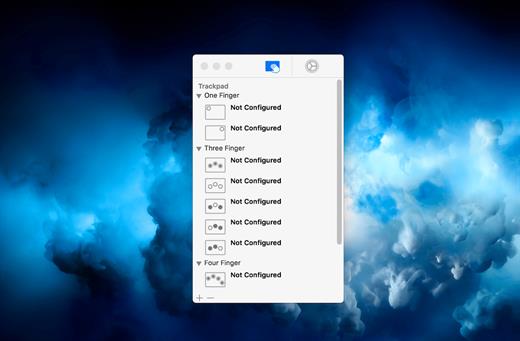
Multitouch 1.27.25

Multitouch (formerly TouchOven) ties a custom action to a specific magic trackpad or magic mouse gesture. For example, a three finger click can execute a paste. Improve your workflow by executing keyboard shortcuts, controlling your browser’s tabs, performing a middle mouse click, and much more.

Features

  • A growing list of gestures and actions.
  • Privacy. No user data is gathered from the app.

*** You need to disable the System Integrity Protection (SIP) to perform the selected Application.

What’s New

Version 1.27.25:

  • The snap windows by dragging setting was decreasing input responsiveness in Catalyst apps. This is now fixed.

Compatibility

macOS 10.15 or later


Release Name: Multitouch 1.27.25
Size: 11.1 MB
Links: HOMEPAGE – NFO – Torrent Search

Download: FiKPERNiTROFLARERAPiDGATOR

3 Comments
Feb 9

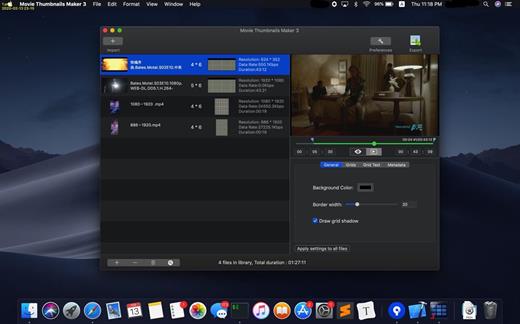
Movie Thumbnails Maker 4.5.0

Movie Collage Creator lets you catch the content of the latest movies at first glance. How about creating an amazing overview for all the latest movies? Movie Collage Creator is the all-in-one solution, you don’t need guess the content of the movie any more.

Key Features:

  • Support various formats such as AVI, WMV, RM, MPG, TS, MKV, MOV, FLV, MP4, RMVB, etc;
  • Fast and easy to use, you can get the amazing overview with one click;
  • Custom settings for background color,border color, position of metadata​,etc;
  • Batch process several movie files at onece, with one setting for each movie;
  • Various output image formats such as BMP, PNG, TIFF,JPEG.

What’s New

Version 4.5.0:

  • Release notes were unavailable when this listing was updated.

Compatibility

macOS 10.10 or later


Release Name: Movie Thumbnails Maker 4.5.0
Size: 39.8 MB
Links: HOMEPAGE – NFO – Torrent Search

Download: FiKPERNiTROFLARERAPiDGATOR

6 Comments