Jan 22

EaseUS RecExperts Pro 3.8.0

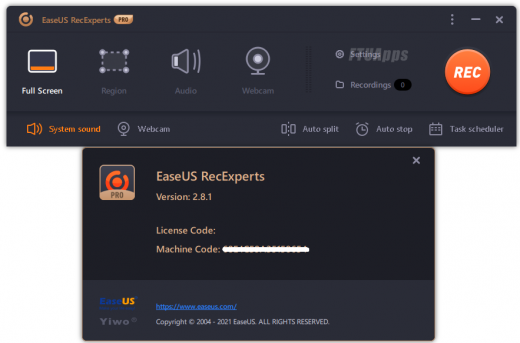
Description: EaseUS RecExperts is a tool designed to provide you with a simple and straightforward way to capture your full desktop, a specific window or area as well as your webcam. The capture can be enhanced with lines, arrows, images and text, so it can be used as guides, instructions or even for educational purposes.

Simple & Smart Screen Recorder:

Capture video, audio, webcam or image for any occasion
Record Zoom meetings, YouTube videos, tutorials, games, etc.
Record screen with internal audio and your voice on Windows

Features:

Flexible Capture Any Area of Your Screen
Flexibly capture your full screen, a selected area of the screen, or a single window.

Record Video and Audio Simultaneously
You can record the background sounds and a voice with your microphone at the same time.

Record Webcam
Record webcam or as a webcam overlay to increase engagement and help viewers connect with your content.

Game Recording Mode
Record various high-quality and popular 2D/3D games in 4K UHD resolution.

Task Scheduler
EaseUS RecExperts supports to create recording tasks automatically. Start Recording at a specific time. What’s more, it allows you to schedule multiple tasks simultaneously conveniently.

Advanced Editing
Add texts, lines, arrows and other real-time editing works. Trim video length, add a watermark and other advanced editing

What’s New:
– Official site does not provide any info about changes in this version.

System Requirements:
– Windows® 7/8/8.1/10/11 (32bit/64bit)

Release Name: EaseUS RecExperts Pro 3.8.0
Size: 84.1 MB
Links: HOMEPAGE – NFO – Torrent Search

Download: FiKPERNiTROFLARERAPiDGATOR

6 Comments
Jan 22

Easy Cut Studio 5.030 (x64) Multilingual

Description: The easiest and quickest way to design and cut signs, lettering, logos, graphics, shapes, decals and stickers. Take your sign-making to a whole new level with Easy Cut Studio. The #1 vinyl cutter software for Windows. The complete solution for designing, printing, cutting and print + cut. It gives you the ability to cut any TrueType font, OpenType font, graphics, SVG, PDF files, as well as your own original designs with your vinyl cutter or cutting plotter. This awesome vinyl cutter software even supports vectorize your bitmap images and built-in shape library includes hundreds of vectorial designs ready to be cut. With intuitive interface, Now anyone can cut designs like a pro! Professional sign cutting software for your vinyl cutter. Both macOS and Windows versions available.
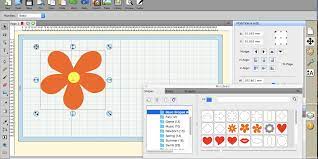
The complete solution for designing, printing, cutting and print + cut. It gives you the ability to cut any TrueType font, OpenType font, graphics, SVG, PDF files, as well as your own original designs with your vinyl cutter or cutting plotter. This awesome vinyl cutter software even supports vectorize your bitmap images and built-in shape library includes hundreds of vectorial designs ready to be cut. With intuitive interface, Now anyone can cut designs like a pro! Professional sign cutting software for your vinyl cutter. Both macOS and Windows versions available.

Draw your own designs
Designing couldn’t get any easier! This powerful vinyl cutter software comes with a suite of various shape drawing and editing tools to draw and edit any shape directly on the mat. Easily draw unique shapes, edit vector images, modify signs, create logos, customize text with fonts on your computer plus special effects. Easy Cut Studio will make you design and cut your shapes easier than with any other sign-making software in the market. It is a little design powerhouse for vinyl cutting.

Image Tracing & Vectorizing
Unmatched vectorization, Simply use the powerful tracing tool to create cuttable outlines from any imported raster graphics (including PNG, JPG, GIF, PSD, BMP, TIFF, etc.) or scanned images. Easily create accurate vector paths ready for cutting or make further editing.

Import/Export most file formats
Import various file formats, including AI, SVG, EPS, PDF, WPC and other popular formats as editable vector objects. giving you the power to cut any shape and custom artworks. You can also export your design to SVG, PDF, GIF, JPG, PNG, TIFF, BMP, or FCM format.

Print and Cut (Contour Cut)
Print to Cut made easy, fast and accurate. Automatic creation of registration marks for print and cut applications. Easily print your artwork and then cut out around the printed image using your vinyl cutter, which is perfect for create decals and stickers. User control over registration size, thickness and offset will help the cutter find the contour cut marks easily.

Design and Cut Rhinestone Templates
Easily convert designs into rhinestone templates and make your own custom rhinestone designs with typeable rhinestone ready fonts. Specify stone size and spacing to make a rhinestone template and lattice shapes.

Weld Text and Shapes Together
Welding is an advanced option allows you to make overlapping text and shapes to become a single shape, by joining shapes together wherever an overlap occurs. There are two ways to combine shapes/letters together: welding and joining.

Working With Layers
Easily create complex designs using multiple layers, grouping to organize the display order of objects. Using Layers can help you more control over how you organize, edit and cut objects with Easy Cut Studio. The Shadow Layer option will create cuttable shadows from any shape.

Full control over your vinyl cutter
Get the job done, faster. Flexible Cut Settings that allows you to cut exactly what you want. You can set cut mode, mirroring, cut selection only, Print+Cut, pressure, speed, multi-cut (Cut Copies), blade-offset, overcut and many more professional vinyl cutter controls. Cut vinyl signs with incredible ease.

More features:
– Cut font files already installed on your Windows or Mac.
– Convert text to outlines/paths.
– Place text or objects on bezier paths.
– Text on arch tool and text on path tool.
– Node editing
– Create shadowed mat effects.
– Layout and special effects for your texts and shapes.
– Stencil function for bridging interior shapes.
– Registration marks.
– Multi-color gradient fill function with linear and radial options.
– Choose from over 250 pre-made shapes from the built-in library.
– Use any bitmap image to create a texture.
– WYSIWYC Interface – What you see is what you cut.
– Option to cut only selected objects.
– Support USB connection, serial (COM), parallel and so on.
– Mirror or flip images before cutting.
– Scan images directly into the software.
– Generate jigsaw puzzles with full control.


Release Name: Easy Cut Studio 5.030 (x64) Multilingual
Size: 36.3 MB
Links: HOMEPAGE – NFO – Torrent Search

Download: FiKPERNiTROFLARERAPiDGATOR

4 Comments
Jan 22

Boris FX Silhouette 2023.5.4 (x64)

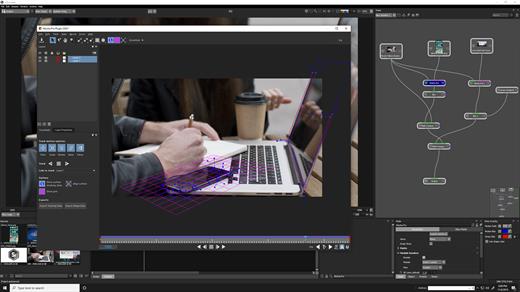
Boris FX Silhouette Free Download Full Version With Crack is a powerful compositing and visual effects software tool that is used by professionals in the film, television, and video industries. It offers a range of advanced features for creating complex visual effects and composites, making it an ideal choice for those working on high-end projects.

One of the main features of Boris FX Silhouette Download Crack is its support for a wide range of compositing and effects tools. The software includes a range of tools for compositing and layering images and video, as well as tools for color grading, keying, and masking. It also includes a range of filters and effects that users can apply to their images and video, such as blur, distortion, and color correction effects.

Boris FX Silhouette 2023 Serial Key Download Features:

Here are some key features of Boris FX Silhouette:

  • Wide range of compositing and effects tools: The software includes a range of tools for compositing and layering images and video, as well as tools for color grading, keying, and masking. It also includes a range of filters and effects that users can apply to their images and video, such as blur, distortion, and color correction effects.
  • Wide range of formats and workflows: It is able to handle a variety of different image and video file formats, as well as support a range of workflows such as 2D, 3D, and VR. It also includes support for a range of hardware and software platforms, including Adobe After Effects and Avid Media Composer.
  • Project management: The software includes a range of tools for managing and organizing projects, such as the ability to create and edit project libraries, as well as the option to collaborate with other users in real-time.
  • Regular updates: It is regularly updated to ensure that it is compatible with the latest versions of operating systems and to add new features and improvements.
  • Wide range of supported platforms: The software is compatible with a wide range of platforms, including Windows and Mac, making it accessible to users on a variety of devices.
  • Multi-language support: The software is available in a variety of languages, making it accessible to users around the world.
  • Expert resources: It includes a range of expert resources and guidance to help users understand the compositing and visual effects process.
  • Integration with other tools: The software is able to integrate with a range of other tools and software, such as Adobe Photoshop and Illustrator, allowing users to work seamlessly across different platforms.

Another feature of Boris FX Silhouette is its support for a wide range of formats and workflows. The software is able to handle a variety of different image and video file formats, as well as support a range of workflows such as 2D, 3D, and VR. It also includes support for a range of hardware and software platforms, including Adobe After Effects and Avid Media Composer.

In addition to its compositing and effects capabilities, Boris FX Silhouette also includes a range of tools for managing and organizing projects. It includes features such as the ability to create and edit project libraries, as well as the option to collaborate with other users in real-time.

Overall, Boris FX Silhouette is a powerful and feature-rich compositing and visual effects software tool that offers a range of advanced features for creating complex visual effects and composites. It is an ideal choice for professionals working on high-end projects in the film, television, and video industries.

Boris FX Silhouette System Requirements

  • Windows: Windows 10 & 11
  • Processor: Intel or AMD processor
  •  Memory: 8GB or more
  • Disk: High-speed disk array or SSD storage. 1GB of available disk space for caching and temporary files

Graphics Card

  • NVIDIA GTX 460 or better
  • AMD Radeon 57xx series or better
  • OpenGL 2.1 capable graphics card
  • OpenCL 1.1 capable graphic card
  • 1GB of graphics memory for film resolution

Release Name: Boris FX Silhouette 2023.5.4 (x64)
Size: 1.3 GB
Links: HOMEPAGE – NFO – Torrent Search

Download: FiKPERNiTROFLARERAPiDGATOR

6 Comments
Jan 22

ARES Mechanical 2024.2 Build 24.2.1.3254 (x64) Multilingual

Description: ARES Mechanical is especially designed for the needs of 2D mechanical CAD users and for those who use 3D CAD occasionally. Whether you are a Factory Layout Planner making floor plans to place machines with efficiency in mind or a Maintenance Engineer making revisions to existing DWG drawings, ARES Mechanical has the right set of tools to help you get the job done. Conceptual Designers can use ARES Mechanical for creating quick sketches or technical drawings.

More generally, Designers can use ARES Mechanical to create detailed 2D mechanical drawings ready for production. ARES Mechanical meets the needs of a wide spectrum of technical drawing users.

Key Features of ARES Mechanical
As a first step you should consider to select a Mechanical Standard for your project. ARES Mechanical supports international standards such as ANSI Inch, ANSI Metric, BSI, DIN, ISO and JIS. The chosen standard will activate pre-defined settings for your drawing in terms of styles, layers, frames and parts libraries.

Alternatively, ARES Mechanical is flexible enough to start a project without defining the standard. You would then make your choice from the part libraries when inserting your first components.

Companies can further define their own standards as copies and/or extensions of existing international standards.

Mechanical Parts
ARES Mechanical includes ready-to-use mechanical part-libraries such as: Bolts & Screws, Screw Connections, Nuts, Pins & Washers, Hole & Hole Table, Hole Callouts.

You will find these parts in the Toolbox ribbon of the Mechanical workspace. They are pre-configured and standardized based on the mechanical standard you have chosen for your project.

These smart entities will help you to speed up the design and make sure it is compliant with the chosen standard. They will also further be recognized for the creation of your BOM.

The Toolbox ribbon includes other mechanical features such as symbols for surface and welding; Balloons and Bill of Materials (BOM) and Revision Tables.

Mechanical workspace
We created a dedicated user interface optimized for Mechanical Design with quick access to all the features you need. The Mechanical ribbon highlights in the first tabs the top level features needed for a quick sketch of a new drawing.

In the Toolbox tab of this ribbon you will also find most of the mechanical features such as the part libraries, holes, screw connections, BOM, symbols and revision tables.

If you don’t like ribbons, the “Classic” workspace is replacing the ribbon by menus and toolbars.

All the features of ARES Commander remain also available. If you are not working on a mechanical project you may simply switch to the “Drafting and Annotation” workspace for 2D or to the “3D Modeling” one for 3D.

Advanced users may also simply use keyboard commands with any of these workspaces.
Watch the Video

Construction Lines
Construction Lines (vertical, horizontal or at a defined angle) are easy to maintain, they are on a predefined layer and can be switched on or off as and when required. They are easy to pick and can be combined with our Power Trim feature to help you accelerate your design.

Rectangle with dimension
ARES Mechanical includes some other smart features such as rectangles with dimensions. This feature would let you draw a rectangle and automatically add dimensions.

Predefined Hatches
Mechanical design conventions require that you use specific hatch patterns in the sections of your mechanical drawings. These hatch patterns help to standardize drawings and define the material of the elements.

You can now use Predefined hatches in your designs. Many commonly used hatch patterns are included, which can be further customized based on your requirements.

System requriements:
OS:Windows 10 or higher
CPU:Intel Core i5 processor, AMD Athlon/Phenom™ x4 processor, or better
Space:1 GB free hard disk space depending on accessory applications installed
Memory:8 GB RAM
GPU:3D Graphics accelerator card with OpenGL version 3.2 or better
Display:Full HD monitor
Hardware:Wheel mouse, or 3D mouse


Release Name: ARES Mechanical 2024.2 Build 24.2.1.3254 (x64) Multilingual
Size: 482.3 MB
Links: HOMEPAGE – NFO – Torrent Search

Download: FiKPERNiTROFLARERAPiDGATOR

6 Comments
Jan 22

StudioLine Photo Pro 5.0.7 Multilingual

StudioLine Photo Pro Crack Full Version Download

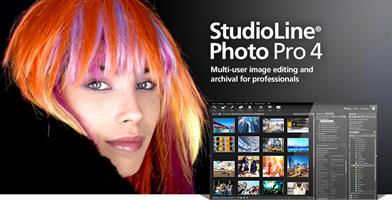
Download StudioLine Photo Pro Serial Key Free: It is a highly effective software for the professional editing and management of large image collections in server-based networks. Of course, the RAW formats from all popular camera models are supported. It gives you the ability to edit your files while accessing a range of unique and useful tools. The most important features of this software include rotation, effects, cropping, resizing. You May Also Download StudioLine Photo Classic Crack

Download StudioLine Photo Pro Crack Key Features:

  • Professional management features for graphic formats
  • Easy images search
  • Build huge collections of graphics files
  • Ability to add tags and descriptions to images
  • Ability to print, share or burn images to CD / DVDs
  • Has extensive capabilities for editing graphic files
  • Ability to use a set of beautiful effects
  • Support for JPG, TIF, GIF, PNG, BMP formats
  • And many more.

What’s New In StudioLine Photo Free Download?

  • Fixed: Unexpected 45° image rotation in Image Alignment tool.
  • Fixed: Support .ZIP files in Load Assistant and when sharing to MediaCenter.
  • Fixed: Load Assistant missing preview for certain DNG images
  • More intuitive scheme for populating descriptors for photographer, copyright and credits from metadata.

Release Name: StudioLine Photo Pro 5.0.7 Multilingual
Size: 134 MB
Links: HOMEPAGE – NFO – Torrent Search

Download: FiKPERNiTROFLARERAPiDGATOR

6 Comments
Jan 22

StudioLine Photo Classic 5.0.7 Multilingual

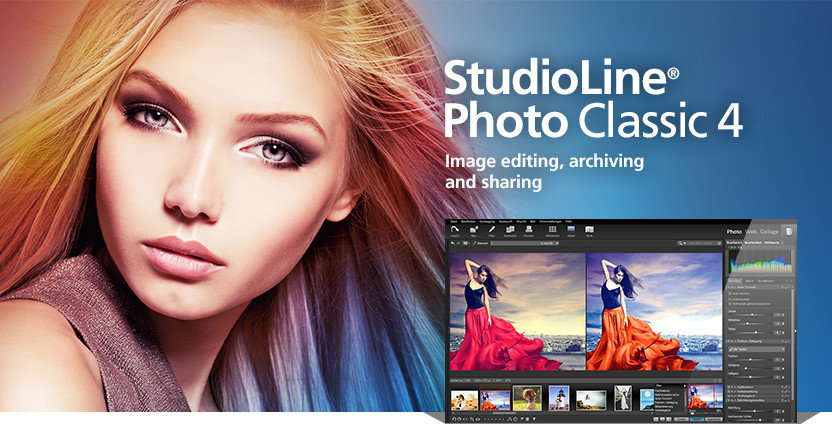
Description: StudioLine Photo Classic 4 is a feature-packed software for conveniently managing and editing extensive image collections. Naturally all common file formats, including the RAW formats of the popular camera models are supported.

New Features:

  • Your Personal Load Assistant
    Quickly and easily load images from you camera, hard disk or other drives. Any files not previously loaded are automatically suggested and selected.
  • Pre-defined Tool Settings
    Store frequently used image tools (filters) or entire filter sequences as templates. This way the same tool settings are available at any time to treat further images with the same editing steps.
  • Protect Your Images
    Superimpose your personal watermark into your images to prevent unauthorized use. Any graphics and text may be combined to create watermarks.
  • Easy Print
    Create print layout to suit variou

Release Name: StudioLine Photo Classic 5.0.7 Multilingual
Size: 134 MB
Links: HOMEPAGE – NFO – Torrent Search

Download: FiKPERNiTROFLARERAPiDGATOR

6 Comments
Jan 20

PhotosRevive 2.1.3

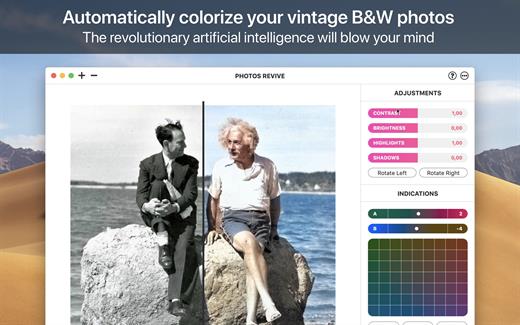
PhotosRevive automatically colorizes your old black and white photos. The application uses a revolutionary artificial intelligence that will add colors in an ultra-realistic way. The application is super simple to use. Scan or import your photo and that’s it. The application will color it without any effort on your part. We know that the colors chosen by the engine may differ from those of your memories. That’s why the app lets you add indications of colors. So you can help the artificial intelligence ​​and change the rendering as you please. PhotosRevive is the first app that will perfectly adjust the rendering to your memories

Features:

  • Automatically recolor photos
  • Scan photos from your camera
  • Adjust black and white tint
  • Add indications to improve rendering
  • Save and share the result

What’s New

Version 2.1.3:

  • Release notes were unavailable when this listing was updated.

Compatibility

macOS 10.13 or later, 64-bit processor


Release Name: PhotosRevive 2.1.3
Size: 476.4 MB
Links: HOMEPAGE – NFO – Torrent Search

Download: FiKPERNiTROFLARERAPiDGATOR

6 Comments
Jan 20

n-Track Studio Suite 10.0.0 (8379)

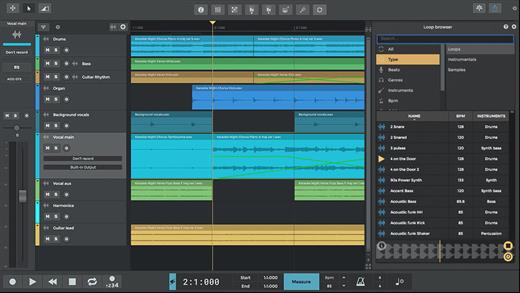
n-Track Studio is an audio and MIDI multitrack recorder that turns your Mac into a full-fledged recording studio. You can record and playback a virtually unlimited number of tracks. The program supports simultaneous recording from multiple 16- and 24-bit soundcards, and real-time audio effects can be applied non-destructively to each track. Built-in effects include multiband compression, delay, graphic EQ, pitch shift and time stretch, parametric EQ and spectrum analyzer with guitar tuner.

Studio edition features

  • Unlimited audio and MIDI tracks
  • Unlimited plugins (VST, VST3, DirectX, AU, Rewire)
  • 32 bit and 64 bit version
  • Free soundbacks

What’s New

Version 10.0.0:

  • Release notes were unavailable when this listing was updated.

Compatibility

macOS 10.12 or later
Apple Silicon or Intel Core processor


Release Name: n-Track Studio Suite 10.0.0 (8379)
Size: 242.3 MB
Links: HOMEPAGE – NFO – Torrent Search

Download: FiKPERNiTROFLARERAPiDGATOR

7 Comments
Jan 20

Microsoft Office 2021 for Mac LTSC v16.81 VL

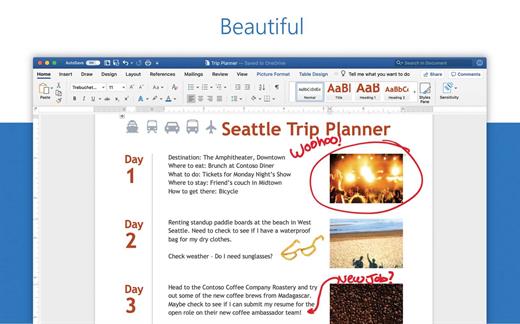
Office 2021 for Mac is designed from the ground up to take advantage of the latest Mac features, including Retina display, full screen view support, and even scroll bounce. It’s the perfect combination of the Office you know and trust, and the Mac you love.

Word

Create and share professional-looking documents with state-of-the-art editing, reviewing, and sharing tools. The new Design tab provides quick access to features, and Smart Lookup shows relevant contextual information from the web directly inside Word.

Excel

Analyze and visualize your data in new and intuitive ways with a fresh user interface plus your favorite keyboard shortcuts. Leverage features like Analysis Toolpak, Slicers, and Formula Builder to save time, so you can focus on insights.

PowerPoint

Create, collaborate, and effectively present your ideas with new slide transitions and an improved Animations task pane. Threaded comments alongside your slides help you incorporate feedback into your presentations. And Presenter View displays the current slide, next slide, speaker notes, and a timer on your Mac, while projecting only the presentation to your audience on the big screen.

OneNote

It’s your very own digital notebook, so you can keep notes, ideas, web pages, photos, even audio and video all in one place. Whether you’re at home, in the office, or on the move, you can take it all with you wherever you go while sharing and collaborating with others. It’s great for school assignments, work projects, travel plans, party planning, and more.

Outlook

Easily manage your email, calendar, contacts, and tasks. Push email support keeps your inbox up to date, conversation view groups related messages, and calendars can be viewed side-by-side for planning.

What’s New

Version 16.81:

  • Release notes were unavailable when this listing was updated.

Compatibility

macOS 10.14 or later
Apple Silicon or Intel Core processor


Release Name: Microsoft Office 2021 for Mac LTSC v16.81 VL
Size: 2.2 GB
Links: HOMEPAGE – NFO – Torrent Search

Download: FiKPERNiTROFLARERAPiDGATOR

6 Comments
Jan 20

ACDSee Photo Studio 10.0.3

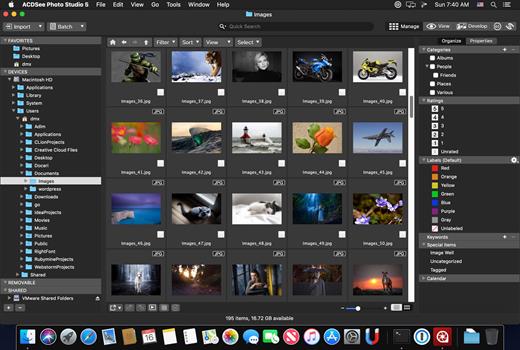
Known for best-in-class digital asset management and RAW processing power, ACDSee Photo Studio for Mac 5 gives you instant, import-free access to your photos. Flexible organizational tools to satisfy any workflow, lightning fast non-destructive adjustments, drag and drop searching, sleek customizable batch presets, and RAW support for over 450 camera models are just a few of the elements that make ACDSee Photo Studio for Mac 5 the must-have image editing software on the macOS.

Image Basket

Gather and hold images from different locations or folders in the Image Basket. Once you have your desired assortment, you can use any of the tools or features in ACDSee to view or edit these files.

Filter By

Quickly single out and display files by their metadata, such as ratings, color labels, tags, and categories. This essential component of digital asset management will also identify images by the metadata they don’t have, such as “no keywords”, “untagged”, and “uncategorized”.

Compare Images

Highlight the similarities and the differences in up to four images at once with the Compare Images tool. Use zooming and panning to identify which images to keep.

Auto Advance

Manage entire folders without ever moving your hands from the keyboard. With Auto Advance, adding metadata will move the focus to the next image in the File List pane, allowing you to seamlessly organize.

External Editors

Easily configure ACDSee to work with a variety of other image editors. Specify a default editor, and then promptly open images in other applications right from inside Manage or View mode.

Multiple Databases

Create as many ACDSee databases as you like, and swiftly and smoothly switch between them.

Batch Add Watermark

Claim your work by adding watermarks to your images. Adjust size, position, and opacity for the perfect signature, and save your settings as a preset. Apply it to one, many, or all.

Batch Add Border

Frame your favorite photos in batches with the Batch Add Border tool. Customize the color, texture, and thickness of your border, and choose from nearly 100 unique edges to complement your shots.

Import Database

Don’t lose hours of cataloging just because you want the latest software. Import your database from version 3 or 4 of ACDSee Photo Studio Mac and keep right on working.

What’s New

Version 10.0.3:

  • Release notes were unavailable when this listing was updated.

Compatibility

macOS 11.0 or later


Release Name: ACDSee Photo Studio 10.0.3
Size: 185.2 MB
Links: HOMEPAGE – NFO – Torrent Search

Download: FiKPERNiTROFLARERAPiDGATOR

6 Comments