Jan 10

VueScan Pro 9.8.23 DC 10.01.2024 Multilingual

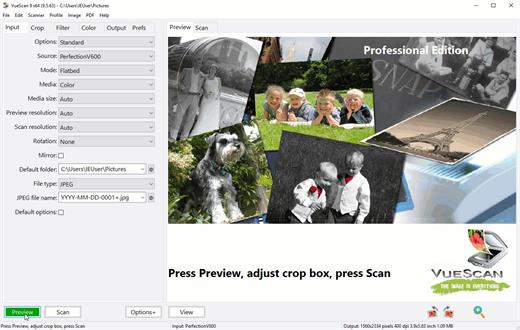
Description: VueScan, the world’s most popular scanner software, is used extensively by photographers, home users, scanning services and corporations. VueScan is a scanning program that works with most high-quality flatbed and film scanners to produce scans that have excellent color fidelity and color balance. It is very easy to use, and also has advanced features for restoring faded colors, batch scanning and other features used by professional photographers. VueScan changes nothing on your system, installs nothing in your operating system and all other scanner software will continue to function. VueScan increases your productivity and saves you money. VueScan has advanced scanning options, powerful features, and greatly improves your scans with superior color accuracy and better color balance. VueScan supports more than 700 scanners and 209 digital camera raw files and takes about 5 minutes to download and install.
Features:
• Works with 1200 flatbed and film scanners
• Runs on Mac OS X, Windows and Linux
• Improves your productivity and quality of scans
• Has been downloaded more than 5 million times
• Create raw scan files
• ICC profiles and color spaces
• IT8 color calibration

Release Name: VueScan Pro 9.8.23 DC 10.01.2024 Multilingual
Size: 72.5 MB
Links: HOMEPAGE – NFO – Torrent Search

Download: FiKPERNiTROFLARERAPiDGATOR

7 Comments
Jan 10

Wondershare PDFelement Professional 10.2.4.2612 Multilingual

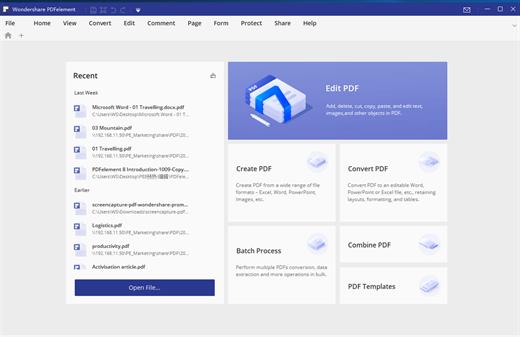
Description: Wondershare PDFelement is an all-in-one general PDF document editing program. Editing features include support for changing text and font. Support for OCR (optical character recognition) technology has been implemented, there is a mode for converting a document into various formats, there is support for adding your own pictures to a document, you can number pages for quick movement in the future.

Features:
Create PDF Files
Export PDFs to Word, Excel, or PowerPoint
Edit Text and Images in PDF Files
Annotate and Comment PDF Files
Convert PDF Files
Fill out PDF Forms
Secure PDF Files
Optical Character Recognition (OCR)
Scan Paper into Editable PDFs
Compress and Optimize Documents
Create and Edit Form Fields
Extract Data from PDF Forms
Add Bates Numbering
Redact Sensitive Information
Batch Process Documents
Archive with PDF/A Format
Add Digital Signature

Release Name: Wondershare PDFelement Professional 10.2.4.2612 Multilingual
Size: 214.8 MB
Links: HOMEPAGE – NFO – Torrent Search

Download: FiKPERNiTROFLARERAPiDGATOR

7 Comments
Jan 10

Chaos Vantage 2.2.1 (x64)

Description: Explore your most complex 3D production scenes ray traced in real-time. With Chaos Vantage, there are no time-consuming conversions. Simply drag and drop your complete V-Ray scene into Vantage and start exploring. There’s also a direct live link available from 3ds Max, so you can use it just like a viewport.

Chaos Vantage requires an NVIDIA RTX series GPU.

Features

Zero setup
Drag and drop your V-Ray scene into Chaos Vantage and start exploring. Unlike other real-time solutions, there’s no geometry to optimize, UVs to unwrap, or lighting to bake.
a
Go big!

Chaos Vantage is built to handle huge scenes and billions of polygons. It’s the fastest way for you to see your most detailed V-Ray scenes in real-time.

Easy to navigate

Navigating your scene is easy. Use controls similar to your 3D app, or move around just like playing a game. Walk up stairs and avoid walking through walls with automatic collision detection.

100% ray-traced quality
With fully raytraced and real-time rendering, Chaos Vantage uses physically based cameras, lights, materials, and global illumination for the most realistic results.

Simple and fast animation

Perfect for previsualization, you can create, edit, and render animation right from Chaos Vantage. Easily animate between cameras, apply transitions, arrange your sequence in the Animation Editor.

Live link
Get a live raytraced view of your scene with a live link from 3ds Max. Changes you make in your 3ds Max scene will instantly appear in Chaos Vantage.

System Requirements:
OS: Microsoft® Windows® 10 RS5 (version 1809), update from October 2018, build 17763 or later
– DXR compatible GPU: NVIDIA RTX® series GPU with NVIDIA® driver 436.02 or newer; recommended version 457.09 or 452.57
– System memory should exceed GPU memory (minimum 8 GB RAM)

Release Name: Chaos Vantage 2.2.1 (x64)
Size: 455 MB
Links: HOMEPAGE – NFO – Torrent Search

Download: FiKPERNiTROFLARERAPiDGATOR

7 Comments
Jan 7

DRmare Music Converter for Spotify 2.9.1

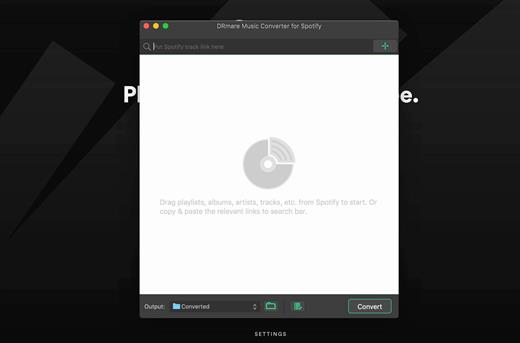
DRmare Spotify Music Converter is a smart tool DRM removal for Spotify convert and save all your songs, albums and playlists from Spotify as DRM-free MP3, WAV, FLAC, AAC, MF4A, M4B, even if not subscribed the premium plan. This music converter transmission, you can freely enjoy any Spotify track on any popular device with no connection to the original quality and ID3 tags.

What’s New

Version 2.9.1:

  • Release notes were unavailable when this listing was updated.

Compatibility

macOS 10.10 or later


Release Name: DRmare Music Converter for Spotify 2.9.1
Size: 7.2 MB
Links: HOMEPAGE – NFO – Torrent Search

Download: FiKPERNiTROFLARERAPiDGATOR

5 Comments
Jan 7

Topaz Video AI 4.1.0

The capabilities of recording equipment and media playback devices increase every year, and with them the demand for higher quality content from viewers. But that can you do about that old 720p video recorded years ago, that is now hopelessly outdated?

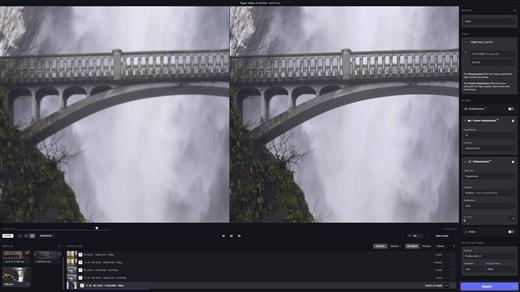
One option is to use a video upscaler like Topaz Video AI. It can increase the resolution of low-quality videos, as well as repair various issues, without making the result blurry or stripping away important details. It is designed to be usable by anyone, with an intuitive feature set and helpful presets.

Increase video resolution and enhance the output

  • Let’s start with upscaling. This app relies on AI models, which are trained on countless upscaled videos. Unlike other similar software, Video AI doesn’t handle each frame as a separate image. Instead, it analyzes surrounding frames to ensure the results are accurate.
  • There are multiple upscaling models you can use, depending on the type of input video, its quality, and the various issues it may be plagued with. Once you’ve set a few basic parameters (video quality, type, and artifact type), the app recommends an AI model, which can be further customized.

Increase video frame rate and create slow-motion effects

  • Aside from boosting resolution, Video AI can also add new frames to create a smoother-looking video. It generates new frames using the Chronos AI model, which should provide better results than basic frame blending.
  • Since the app can add new frames, that means you also have the option of creating slow-motion effects. These rely on the same model, while also slowing down playback speed.

Excellent results — but might need some tinkering

  • The program is very easy to work with, and the suggested models tend to be suitable, but not always. It’s generally a good idea to try out multiple models to see which provides the best results. This can be particularly tricky when trying to increase resolution while preserving fine details that blend in with compression artifacts, but I was always able to get a better-looking video in the end.
  • It’s also good not to be overly optimistic. While the app can upscale videos to up to 8K, if you’re trying to process an old 480p clip, you’re asking for a lot.

Relatively fast processing and simple workflow

  • As far as rendering speed is concerned, video upscaling is always going to be a slow process. However, Video AI runs natively on Apple Silicon processors and can take full advantage of their far superior capabilities. If you’re on an older Intel Mac, however, you’re going to have a lot of waiting to do.
  • All in all, Topaz Video AI is one of your best options for video upscaling at the moment. It can compete with any other app of its kind, and its intuitive design makes it an attractive option for non-professionals and those who rely on a straightforward workflow. It also supports batch processing, which is great if you have a bunch of smaller clips to go through.

What’s New

Version 4.1.0:

  • Release notes were unavailable when this listing was updated.

Compatibility

macOS 10.14 or later
Apple Silicon or Intel Core processor


Release Name: Topaz Video AI 4.1.0
Size: 185.4 MB
Links: HOMEPAGE – NFO – Torrent Search

Download: FiKPERNiTROFLARERAPiDGATOR

7 Comments
Jan 7

Viwizard Spotify Music Converter 2.12.0

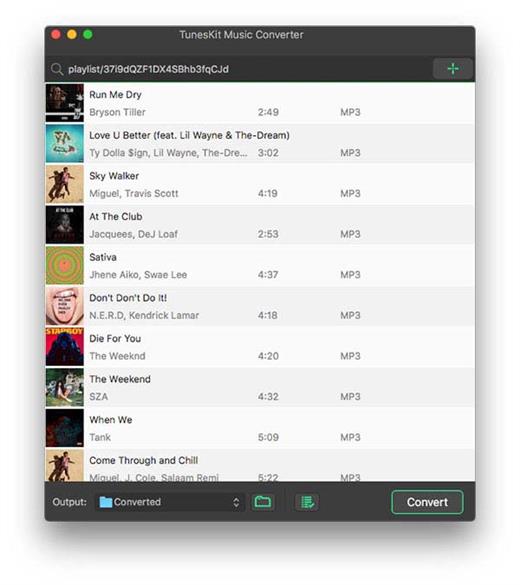
A brilliant music downloader designed to download and convert all music songs, playlists, albums, and artists to MP3, AAC, WAV, FLAC, M4A, M4B losslessly, offering you a great experience to enjoy music offline on any player and device.

What’s New

Version 2.12.0:

  • Release notes were unavailable when this listing was updated.

Compatibility

macOS 10.9 or later


Release Name: Viwizard Spotify Music Converter 2.12.0
Size: 7.2 MB
Links: HOMEPAGE – NFO – Torrent Search

Download: FiKPERNiTROFLARERAPiDGATOR

5 Comments
Jan 7

Navicat for MySQL 16.3.4

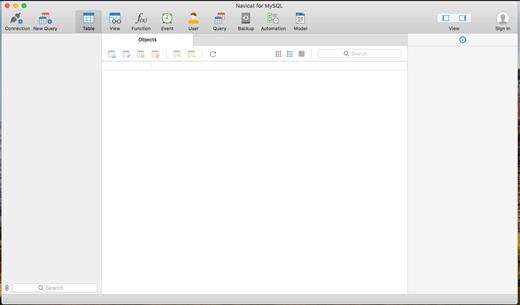
Navicat for MySQL Client from PremiumSoft, is an integrated GUI tool let you perform MySQL administration and database development in an easier way. Advanced features allow you to create data models, import/export data, backup, transfer databases, create queries, and manage your local or remote MySQL server. It also includes a full-featured graphical manager for setting the users and access privileges and more.

Navicat is sophisticated enough for professional developers, yet easy to learn for new users. It is also available for Windows and Linux and translated into 7 major languages.

What’s New

Version 16.3.4:

  • Some minor bug fixes and improvements.

Compatibility

macOS 10.14 or later


Release Name: Navicat for MySQL 16.3.4
Size: 188.4 MB
Links: HOMEPAGE – NFO – Torrent Search

Download: FiKPERNiTROFLARERAPiDGATOR

6 Comments
Jan 7

Navicat for MongoDB 16.3.4

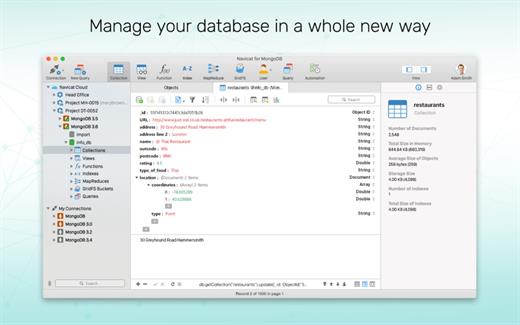
Navicat for MongoDB gives you a highly effective GUI interface for MongoDB database management, administration and development. Connect to local/remote MongoDB servers and compatible with MongoDB Atlas. Navicat for MongoDB offers notable features for managing, monitoring, querying, and visualizing your data. You can easily increase productivity performing for routine MongoDB operations.

*** You need to disable the System Integrity Protection (SIP) to perform the selected Application and Gatekeeper off!

What’s New

Version 16.3.4:

  • Release notes were unavailable when this listing was updated.

Compatibility

macOS 10.14 or later
Apple Silicon or Intel Core processor


Release Name: Navicat for MongoDB 16.3.4
Size: 184.2 MB
Links: HOMEPAGE – NFO – Torrent Search

Download: FiKPERNiTROFLARERAPiDGATOR

6 Comments
Jan 7

Receipts 1.15

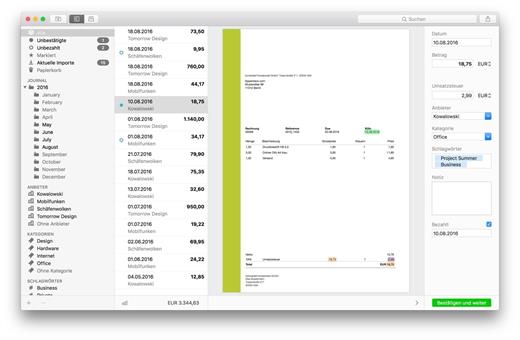
Receipts enhances your incoming invoice management.

Features

  • Recognize: Receipts recognizes gross invoice amount, slip date, declared sales tax, currency, and bank account details automatically and, thus enables the busy user to speed up his incoming receipts management.
  • Classify: Receipts’ smart character recognition identifies once recorded providers automatically, and thus is able to capture recurring documents correctly and assign to the right category.
  • Analyze: Apart from bar graphs and pie chats in the dashboard giving a quick glance at expenditures by periods, providers and categories, export function enables you to analyze recorded data individually and to enhance your tax declaration.

What’s New

Version 1.15:

  • Release notes were unavailable when this listing was updated.

Compatibility

macOS 10.10 or later
Apple Silicon or Intel Core processor


Release Name: Receipts 1.15
Size: 15.2 MB
Links: HOMEPAGE – NFO – Torrent Search

Download: FiKPERNiTROFLARERAPiDGATOR

7 Comments
Jan 7

Navicat for PostgreSQL 16.3.4

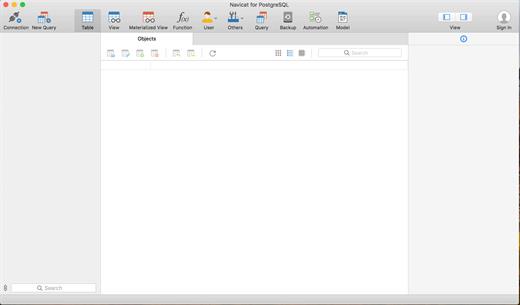
Navicat for PostgreSQL is a powerful yet easy-to-use PostgreSQL graphical interface that provides extensive functionality for managing and developing PostgreSQL database. Advanced features allow you to create database models, import/export data, backup, transfer databases, create queries, and manage your local or remote SQLite server. It also includes a full-featured graphical manager for setting the users and access privileges and more.

Navicat is sophisticated enough for professional developers, yet easy to learn for new users. It is also available for Windows.

*** You need to disable the System Integrity Protection (SIP) to perform the selected Application.

What’s New

Version 16.3.4:

  • Release notes were unavailable when this listing was updated.

Compatibility

macOS 10.14 or later
Apple Silicon or Intel Core processor


Release Name: Navicat for PostgreSQL 16.3.4
Size: 182.9 MB
Links: HOMEPAGE – NFO – Torrent Search

Download: FiKPERNiTROFLARERAPiDGATOR

6 Comments