May 26

iCollections 7.4.3 (74301)

Description: iCollections is an expertly designed application which helps you keep your desktop organized. The app’s unique features are what make it one of the most popular methods of desktop organization for Mac users.
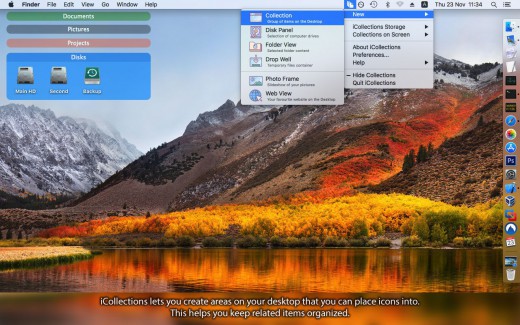
  • iCollections lets you create areas on your desktop so you can sort and arrange your icons. This helps you keep related items together so your files (pictures, documents, screenshot, applications, etc.) are organized and easy to find. iCollections fully supports Retina display.
  • iCollections lets users see their images – even in slideshow form – right on their desktop. Each Collection and Photo Frame can be customized, including style and color, to suit the user’s preferences, offering a fun, personalized way for Mac users to make their desktop more of their own.
  • Select Photo Frame from the main menu to create a picture frame on the desktop. The Photo Frame will display a collection of your pictures as a slide show (e.g., new picture every day). Just select your pictures folder or Photoshop app album and revisit your most wonderful moments.
  • Not only does iCollections offer a way to vibrantly store files and folders on the desktop, but it also offers a way to increase task and time management effectiveness by offering a streamlined desktop where everything is ultra-organized.

What’s New

Version 7.4.3:

  • Bug fix.

Release Names: iCollections 7.4.3 (74301)
Size: 24.77 MB
Links: HOMEPAGE – NFO – Torrent Search

Download: UPLOADGiG – NiTROFLARE – RAPiDGATOR

2 Comments
May 26

WonderPen 2.1.6

Description: WonderPen is a writing app for both professional and amateur writers.

Features

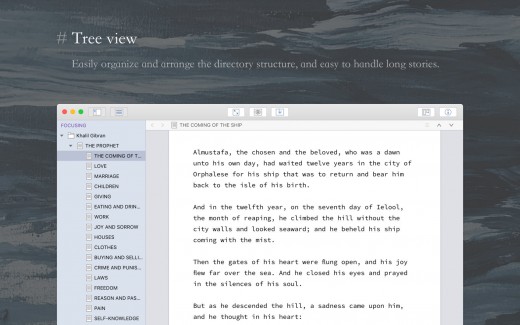
  • Tree view, drag-and-drop to reorder.
  • An easy-to-use text editor that supports Markdown.
  • Supports full-screen mode, lets you focus on writing.
  • Docs can be exported as Image, PDF, Word, HTML, etc.
  • Auto save while editing. You can backup all docs as a single file and restore from it later.
  • Add memo for each doc.
  • Focus on one node of the doc tree.
  • Search in all docs.
  • Automatic backup.

What’s New
Version 2.1.6:

  • Add some settings for the left tree panel, you can set the font size and line height of the tree now
  •  The book title can be set when exporting as Epub
  •  Several minor bug fixes and detail improvements
  •  Some copywriting adjustments

Release Names: WonderPen 2.1.6
Size: 168.40 MB
Links: HOMEPAGE – NFO – Torrent Search

Download: UPLOADGiG – NiTROFLARE – RAPiDGATOR
3 Comments
May 26

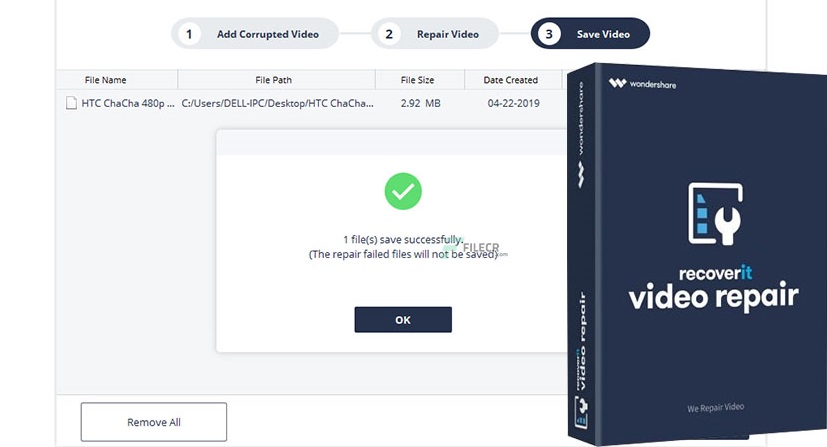
Wondershare Repairit 3.5.5

Description: Wondershare Repairit- Reliable repair is done right! Repairs multiple corrupt or not playing videos in one go, supports popular formats including MOV, MP4, M4V, MKV, etc. Supports preview of repaired video files before saving them, ensures high success rate with powerful repair technology.

Feature :

Your One-Stop Solution to Repair Corrupt Videos
Wondershare Repairit is one of the best video repair software worldwide for repairing video files in different formats like MOV, MP4, M4V, M2TS, MKV, MTS, 3GP, AVI and FLV.

Repair Corrupted Video In Any Scenarios
Being a fully-functional video repair tool, Repairit ensures instant and effective repair irrespective of the videos corrupted while shooting, recording, transferring, editing, converting, or processing.

Repair Videos of Any File Format
Wondershare Repairit supports a wide variety of file formats such as MOV, MP4, M2TS, MKV, MTS, 3GP, AVI, FLV, and M4V. It even supports the latest INSV video format.

Repairs Videos from Any Cameras
Use Wondershare Repairit to fix broken/unplayable videos recorded from videos shot with all leading camera brands such as Canon, Nikon, Sony, GoPro, DJI,etc. or mobile phone.

Release Names: Wondershare Repairit 3.5.5
Size: 49.00 MB
Links: HOMPEAGE – NFO – Torrent Search

Download: UPLOADGiG – NiTROFLARE – RAPiDGATOR

2 Comments
May 26

Keep It 2.0.5

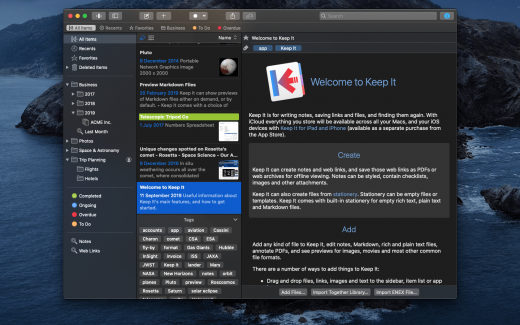
Description: Keep It is for writing notes, saving web links, storing documents, and finding them again. Available on Mac, and as a separate app for iPhone and iPad, changes are automatically made available to all your devices with iCloud. Keep It is the destination for all those things you want to put somewhere, confident you will find them again later.

Features

  • Create, edit, view and save:
  • Notes with styles, checklists and attachments that look good and read well on all your devices
  • Web links with live previews, or saved as PDFs for offline viewing
  • Rich and plain text files, and Markdown documents
  • Add any other kind of file, and see previews for most images, documents, web pages, and more
  • See summaries and thumbnails in the list for most files
  • Use the Recents list to see things you’ve added or viewed lately
  • Share items with iCloud
  • Organize:
  • Folders let you organise things hierarchically – select a folder to see everything it and its subfolders contain
  • Use bundles to gather items into one place – items can be in more than one bundle at a time
  • Use labels to color-code items for quick visual recognition
  • Add searchable tags and comments
  • Make items favorites and drag lists to the Favorites Bar for quick access
  • Search and Filter:
  • Search everything in Keep It: names, tags, file contents, dates, kinds and more
  • Choose suggestions as you search to create complex searches with ease
  • Use keywords and natural language for dates while searching
  • Save searches for later reuse
  • Use the Tag Filter to see all items with a tag and any other relevant tags; choose another tag to drill down further
  • Use Keep It with other apps:
  • Compact Mode reduces the app to a single column, ideal for using alongside other apps
  • Drag pretty much anything to Keep It
  • Copy clickable links to items in Keep It
  • Share extension can add links, text, images and other files, and append text to notes from within other apps
  • Save files to Keep It’s folders to automatically add them to the library
  • Use a bookmarklet to add links from web browsers that don’t use Share extensions

*** You need to disable the System Integrity Protection (SIP) to perform the selected Application.

What’s New

Version 2.0.5:

Summary:

  • Finder integration – See Keep It as a location in the Finder and work with files there
  • Quick Open lists and items by their name
  • Quick File items by searching for lists by their name
  • Reorder folders, bundles and nested saved searches in the sidebar
  • Favorites at the top of the items list
  • New item list design – longer names, larger thumbnails, better use of space
  • Duplicate items in the list
  • Instant search suggestions – go beyond searching for items with text
  • Search for checklists and highlighted text in notes, text files, and PDFs
  • Adjustable display margins for notes, rich text and Markdown documents
  • Edit paragraph attributes for note styles
  • Easily insert a link to an item or list in any note or editable text file
  • Word count floats over text
  • Automatically constrain width when text editor windows made full screen
  • Tasks lists in Markdown previews
  • See related items in the Info view and Show In menu
  • Reader mode for web links and web pages
  • Save web pages minimally, like Reader mode
  • Convert web links and web pages to editable notes
  • Navigate PDFs by thumbnails or outline, and reorder, rotate and remove pages

Release Names: Keep It 2.0.5
Size: 27.87 MB
Links: HOMEPAGE – NFO – Torrent Search

Download: UPLOADGiG – NiTROFLARE – RAPiDGATOR
4 Comments
May 26

Default Folder X 5.6.5

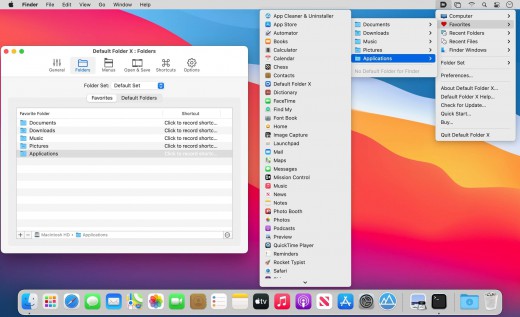
Description: Default Folder X attaches a toolbar to the right side of the Open and Save dialogs in any OS X-native application. The toolbar gives you fast access to various folders and commands. You just click on the buttons to go to your favorite and recently used folders, manage the folders and files shown in the list, and make changes to your settings. It also fixes a number of problems in Open and Save dialogs, “rebounding” to the last selected file, putting the path listing back in the top menu, and correcting bugs in scrolling column views.

Features

  • Directory assistant: You can access the contents of your recent, favorite, and open folders right from Default Folder X’s toolbar.
  • Real time saving: If you’re constantly saving things inside the same folder, Default Folder X can remember that folder for you.
  • Finder management: Default Folder X lets you open up or save to any Finder window with a single click.
  • Instant Recall: To help you quickly return to folders you’ve recently used, Default Folder X remembers them for you.
  • Spotlight on the spot: Default Folder X lets you add Spotlight keywords, OpenMeta tags, and Finder labels on the spot, while you’re still in the Save dialog.
  • Information central: With Default Folder X you get previews below every Open dialog, expanded to fill the available space. Need to see more detail? Click on the image and it zooms up to full size.
  • Workflow without work: Rather than make you learn and set up a new application, Default Folder X blends into OS X.

What’s New

Version 5.6.5:

  • Updated the handling of cloud-synced folders so recent files and folders are correctly tracked on OneDrive, Dropbox, Box Sync and Google Drive. Apple is rolling out updates in macOS that require changes in the way all of these sync services operate, so sync software will need to be up-to-date as well as Default Folder X.
  • Worked around a bug in Chrome, Vivaldi, Brave, Opera and Edge browsers that made it impossible for Default Folder X to turn off the “Hide Extensions” checkbox in their Save dialogs when it needed to.
  • Fixed the instructions for authorizing Screen Recording so they include steps to click on the lock icon in System Preferences if you haven’t already done so.
  • Corrected several bugs that could result in Default Folder X automatically expanding or minimizing Save dialogs when it shouldn’t.

Release Names: Default Folder X 5.6.5
Size: 21.17 MB
Links: HOMEPAGE – NFO – Torrent Search

Download: UPLOADGiG – NiTROFLARE – RAPiDGATOR

3 Comments
May 26

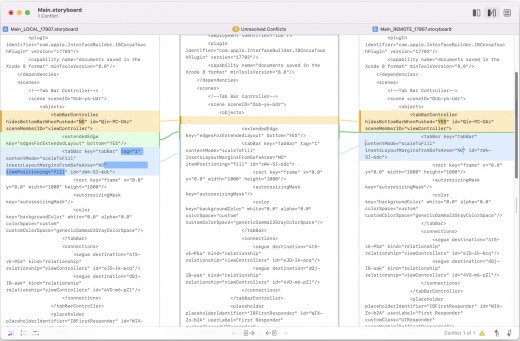
Kaleidoscope 3.4.3

Description: Kaleidoscope spots differences in text and image files.

Kaleidoscope Features

  • General
  • Single window workflow: One tab per comparison
  • Compare two+ files: Add any number of files per tab
  • Always up to date: Auto-refreshes when files change
  • File Shelf: Quickly go from file to file
  • Path Bar: See where your files are
  • Keyboard shortcuts: Every action has a shortcut
  • Text Scope
  • Supports any text file: Plain text, source code, HTML, etc.
  • Clear comparisons
  • Three layouts: Blocks, Fluid, and Unified
  • Compare documents: Imports text from .doc and .rtf files
  • Instant search
  • Change Stepper: Quickly jump from change to change
  • Highlights: Added, deleted and changed text
  • Image Scope
  • All popular image file formats: JPEG, TIFF, PNG, PSD and more.
  • Four connected layouts: Two-Up, One-Up, Split, and Difference
  • Comprehensive image support: RGB/CMYK/LAB, alpha, any size.
  • Multi-touch support: Smooth scrolling and pinch to zoom
  • Customizable environment: Change background color, difference mask and checkerboard settings
  • Two difference mask modes: Spot absolute or relative changes
  • Integration
  • Git, Mercurial, SVN, and Bazaar: Integrate with a couple of clicks
  • Versions
  • TextMate SVN
  • Cornerstone
  • ksdiff Command-line tool: Integrate with practically anything


What’s New

Version 3.4.3:

  • Release notes were unavailable when this listing was updated.

Release Names: Kaleidoscope 3.4.3
Size: 34.45 MB
Links: HOMEPAGE – NFO – Torrent Search

Download: UPLOADGiG – NiTROFLARE – RAPiDGATOR
4 Comments
May 26

Matlab R2022a v9.12.0.1956245 Update 2 (x64)

Description: MATLAB is a high-level language and interactive environment that enables you to perform computationally intensive tasks faster than with traditional programming languages such as C, C++, and Fortran.

Key Features
  • High-level language for scientific and engineering computing
  • Desktop environment tuned for iterative exploration, design, and problem-solving
  • Graphics for visualizing data and tools for creating custom plots
  • Apps for curve fitting, data classification, signal analysis, and many other domain-specific tasks
  • Add-on toolboxes for a wide range of engineering and scientific applications
  • Tools for building applications with custom user interfaces
  • Interfaces to C/C++, Java®, .NET, Python®, SQL, Hadoop®, and Microsoft® Excel®
  • Royalty-free deployment options for sharing MATLAB programs with end users

What’s New

Version 9.12.0.1956245:

  • Release notes were unavailable when this listing was updated.

Compatibility

OS X 10.11 or later, 64-bit processor

Release Name: Matlab R2022a v9.12.0.1956245 Update 2 (x64)
Size: 7.46 GB
Links: HOMEPAGE – NFO – Torrent Search

Download: UPLOADGiG – NiTROFLARE – RAPiDGATOR

2 Comments
May 26

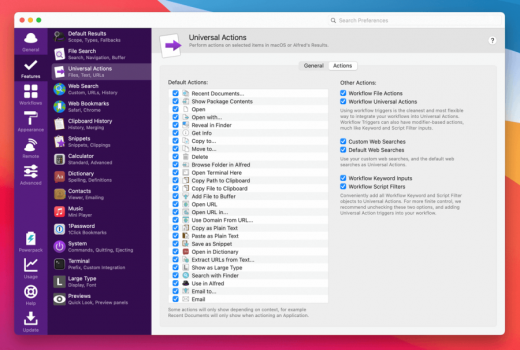
Alfred PowerPack 4.6.6 (1303)

Description: Alfred is an award-winning app for Mac OS X which boosts your efficiency with hotkeys, keywords, text expansion and more. Search your Mac and the web, and be more productive with custom actions to control your Mac.

Search and Browse
Launch applications and find files on your Mac or on the web. Alfred learns how you use your Mac and prioritises results.
Save countless hours by using hotkeys, keywords and customising how you want to search your Mac and activity history.
Jump in and browse, preview files and take action on them without lifting your fingers off the keyboard.

Type Less, Say More
With Alfred’s Clipboard History and Snippets features, there’s no need to type the same URLs or responses over and over.
Use the Clipboard History to locate any text, image or file you copied earlier and paste it again.
Create your own snippets and type a short abbreviation to auto-expand them into a full text snippet, saving yourself hours of typing in the long run!

Extend and Automate
With Alfred’s Powerpack, use immensely powerful workflows to perform tasks more efficiently and cut down on repetitive manual tasks.
Link hotkeys, keywords and actions together to create your own workflows; There’s no need to write a single line of code to create a workflow. Import workflows from the thousands our community of creators have shared.

Control Your Music
You’re the boss. Boost your productivity by controlling your Mac using Alfred’s deep integration with OS X. Swiftly take action on files and contacts, control your music player and dispatch System commands.
Add some fun to your day; Turn your iPhone or iPad into a command centre for your Mac with Alfred Remote for iOS.
Alternatively, take a look at the many workflows for other music services like Spotify.

Alfred Powerpack
Control your Mac with the Powerpack’s incredible features, and enjoy workflows and themes.

Supported Operation Systems
macOS 10.10 or later (Apple Silicon compatible)

Release Name: Alfred PowerPack 4.6.6 (1303)
Size: 9.90 MB
Links: HOMEPAGE – NFO – Torrent Search

Download: UPLOADGiG – NiTROFLARE – RAPiDGATOR
5 Comments
May 26

PullTube 1.8.3.1

Description: A beautiful online video downloader for your Mac. PullTube proposes a streamlined workflow for quickly downloading videos provides control over the output quality, and enables you to extract the audio to MP3 or M4A files. Save video from Youtube, TikTok, Twitch, Facebook, Vimeo, Instagram, Bilibili, Soundcloud and more.

• Supports Youtube, TikTok, Twitch, Facebook, Vimeo, Instagram, Bilibili, Soundcloud and more.
• Download videos with 8K, 4K, HD & 60fps support
• Simply drag & drop and copy and paste videos to download
• Download subtitles (including Youtube auto-generated) with your videos
• Supports HEVC (h265), VP9/8 (Webm), AV1 video codecs
• Save media thumbnails
• Convert videos to mp3 & mp4a formats
• Use clever Chrome, Safari, Firefox extensions to download faster
• Trim Youtube videos on the fly
• Recognize when videos are part of a playlist & choose which to download
• HTTP/SOCKS proxy support for location restricted downloads
• Keep download history

Supported Operation Systems
macOS 10.12 or later (Apple Silicon compatible)

Release Name: PullTube 1.8.3.1
Size: 114.68 MB
Links: HOMEPAGE – NFO – Torrent Search

Download: UPLOADGiG – NiTROFLARE – RAPiDGATOR
6 Comments
May 26

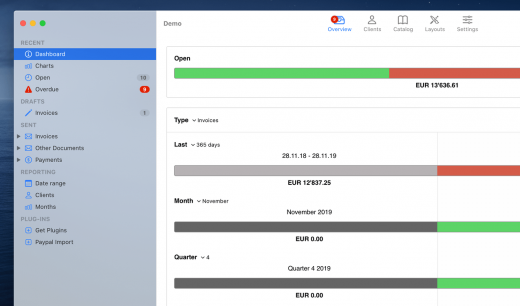
GrandTotal 7.3.3

Description: GrandTotal is an application to create invoices and estimates based on your own templates. The built-in template editor allows you to adjust your layout to fit your company’s corporate design. GrandTotal works great in conjunction with TimeLog.

What’s New

Version 7.3.3:

  • New Preview Feature: Archiving of client’s contacts
  • Fixed: Known issues

Compatibility

macOS 10.12 or later
Support M1 Apple silicon.

Release Name: GrandTotal 7.3.3
Size: 46.55 MB
Links: HOMEPAGE – NFO – Torrent Search

Download: UPLOADGiG – NiTROFLARE – RAPiDGATOR
6 Comments