May 29

Export for iTunes 3.1.7

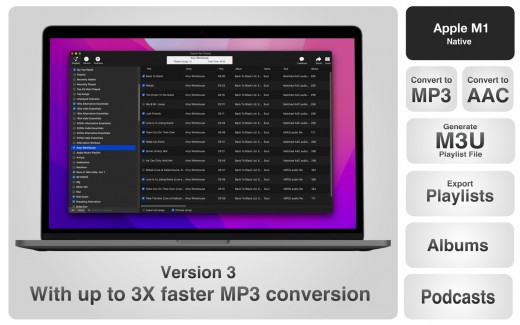
Description: Export for iTunes lets you export your playlists and albums from iTunes to any local folder, external storage, SD card or USB drive! With Export for iTunes you can transfer easily your playlists to your car stereo or any other media player. Convert aac/m4a files to mp3 for best compatibility with most sound systems.
Features

The app converts, copies and organizes your playlists’ and albums’ music files into folders, and creates the .m3u file that lets you play your playlist on any media player. For every album, you can include an image file with album artwork. You can browse and select which of your playlists or albums you want to export. See all playlist/album tracks with their metadata without opening the iTunes app. You can also export the track list from any album or playlist to Excel, so you can create a file with info about all your iTunes music. This iTunes export app let you preview and export metadata like: Title, Artist, Time, Album, Genre, File path, Kind, and Bitrate. The app does not modify your iTunes library.

What’s New

Version 3.1.7:

  • Release notes were unavailable when this listing was updated.

Release Name: Export for iTunes 3.1.7
Size: 26.87 MB
Links: HOMEPAGE – NFO – Torrent Search

Download: UPLOADGiG – NiTROFLARE – RAPiDGATOR

7 Comments
May 29

Web(Cache)Browser 1.8

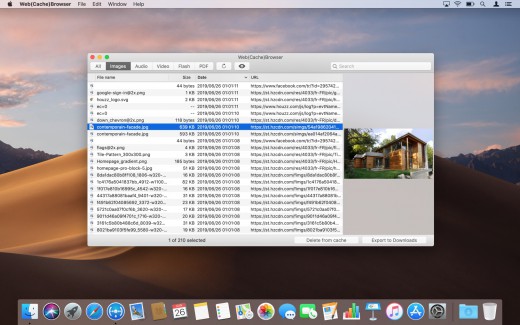
Description: Web(Cache)Browser is an application that allows to browse Safari’s cache content. So it is possible to retrieve resources that have been downloaded by the web browser, for example to use them offline.

You can find specific elements thanks to the search field or by selecting a type of resources to display.

Just press the space bar to open a Quick Look popup offering a live preview of the selected item.

Web(Cache)Browser also allows to individually delete some elements from Safari’s cache in order to save disk space. In this case, it will be efficient to use the sort-by-size feature to display the biggest resources on the top of the list.

What’s New

Version 1.8:

  • Release notes were unavailable when this listing was updated.

Release Name: Web(Cache)Browser 1.8
Size: 9.47 MB
Links: HOMEPAGE – NFO – Torrent Search

Download: UPLOADGiG – NiTROFLARE – RAPiDGATOR
7 Comments
May 29

Color Wheel 7.1

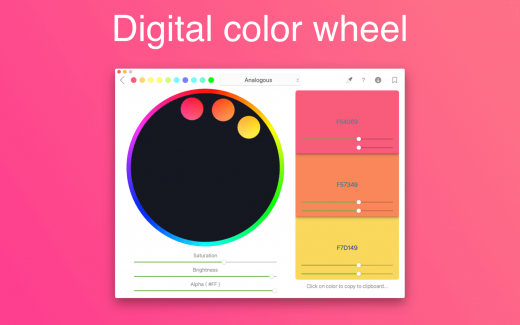
Description: Digital, abstract, classic – all types of color wheels in one app!

A set of tools for painters and designers includes:

  • Digital Color Wheel – our unique graphic design tool.
  • Classic Color Wheel – a classic, versatile version of the color wheel.
  • Abstract Color Wheel – a specialized color choice for abstract painting (a simplified version of the abstract color scheme from our “Digital Color Wheel” tool).
  • Color Combinations – many professional color palettes for digital design and abstract art.
  • Color Swatches – tool for choosing colors by seasons and mood.

What’s New

Version 7.1:

  • A new “Gradient” tool has been added.

Release Name: Color Wheel 7.1
Size: 6.50 MB
Links: HOMEPAGE – NFO – Torrent Search

Download: UPLOADGiG – NiTROFLARE – RAPiDGATOR

6 Comments
May 29

Compute Manager 1.0.2

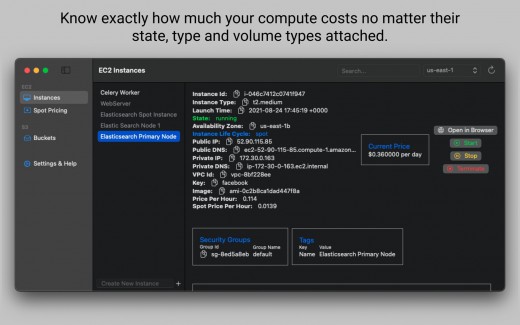
Description: Optimise your AWS costs by knowing exact costs no matter the status, type and attachments of an instance. S3 object browser and a drag drop UI to upload files to S3.

Features

  • EC2 Browser.
  • Know exactly how much your instance costs you no matter its state, type, instance lifecycle including the EBS costs of the volumes attached including storage, iops, threshold costs.
  • Start, stop, terminate any instance from the app. Makes it easy to copy
  • Browse instance types and their current spot prices.
  • S3 object browser.
  • Easily download/delete any object by right clicking on the object.
  • Drag/drop UI to upload local files to S3.
  • Supports most of the regions
  • Perform most common EC2/S3 console tasks just from your app.

What’s New

Version 1.0.2:

  • fix App crashing when instances have no iops information.
  • Properly build S3 url when there are spaces in object name

Release Name: Compute Manager 1.0.2
Size: 16.98 MB
Links: HOMEPAGE – NFO – Torrent Search

Download: UPLOADGiG – NiTROFLARE – RAPiDGATOR
8 Comments
May 29

Screegle – Clean Screen Sharing 2.0.4

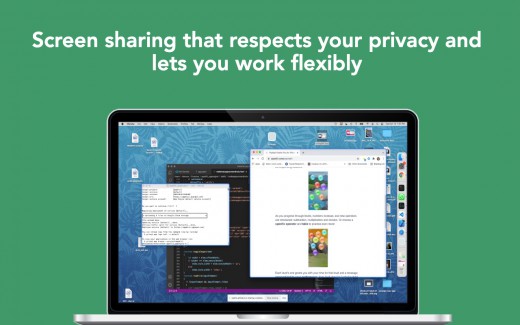
Description: Screegle lets you share any window you want over a clean desktop background image. Screegle = Screen Sharing for Professionals.
Your co-workers, team, customers, or students see a clean, uncluttered version of your desktop that only contains the windows you explicitly selected, nothing more.

No more notifications popping up, personal web sites, files and folders that might reveal personal information.

Using Screegle is very simple:

1 – press ⌘ F1 over any window you want to select or deselect (a blue ribbon will appear around it)
2 – in your video meeting app, share the “Screegle Share” window and you’re all set!

You can also record a video of your Screegle windows, with voice.

This is useful to share clean desktops with co-workers for asynchronous communication.

And you can even add your webcam as an overlay, useful during screen recordings or when you present windows and want people to focus on you (turn off your webcam in your video app!)

What’s New

Version 2.0.4:

  • Release notes were unavailable when this listing was updated.

Release Name: Screegle – Clean Screen Sharing 2.0.4
Size: 19.97 MB
Links: HOMEPAGE – NFO – Torrent Search

Download: UPLOADGiG – NiTROFLARE – RAPiDGATOR
7 Comments
May 29

Final Cut Pro 10.6.3

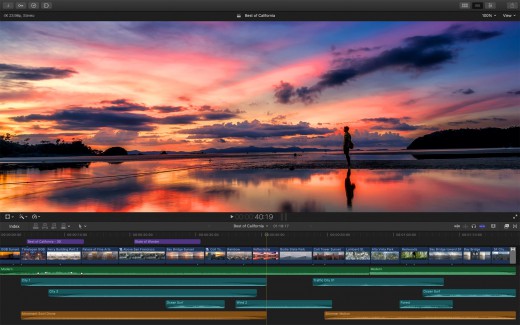
Description: Final Cut Pro X is a professional video editing solution. Completely redesigned from the ground up, Final Cut Pro adds extraordinary speed, quality, and flexibility to every part of the post-production workflow.

Features

  • Revolutionary Video Editing
  • Assemble clips in the Magnetic Timeline without clip collisions or sync problems.
  • Use Clip Connections to attach B-roll, sound effects, and music to the timeline.
  • Reduce clutter by grouping clips into a Compound Clip. Easily expand it back to single clips.
  • Perfect your pacing right in the timeline with the Inline Precision Editor.
  • Cycle through different shots, graphics, or effects at one place in the timeline with Auditions.
  • Powerful Media Organization
  • Import a broad range of formats including native AVCHD, H.264 from DSLRs, and more.
  • Content Auto-Analysis captures camera metadata and analyzes shots in the background.
  • Choose analysis options for stabilization, rolling shutter correction, and audio enhancement.
  • Create and apply custom keywords on the fly as you select ranges in clips.
  • Smart Collections let you dynamically organize content and find any shot in a few clicks.
  • Incredible Performance
  • New 64-bit architecture uses all the RAM in your system for larger projects and richer effects.
  • The Cocoa foundation makes Final Cut Pro more responsive, interactive, and fun to use.
  • Final Cut Pro taps the GPU on the graphics card and all the cores in your Mac for speed.
  • Background processing lets you keep working without interruption.
  • A ColorSync-managed color pipeline produces accurate, consistent color across applications.
  • Compelling, Customizable Effects
  • Preview effects to see how they look with your footage before applying them.
  • Change the look of titles, transitions, and effects using intuitive controls.
  • Control effects with precision using a keyframe editor that appears directly in the timeline.
  • Adjust the Ken Burns effect with simple onscreen arrows for start and end points.
  • Integrated Audio Editing
  • Let Final Cut Pro repair significant audio problems such as hum, excessive noise, and more.
  • Sync DSLR video with separate audio in a single step, with instant audio waveform matching.
  • Enrich your soundtrack with a library of royalty-free sound effects and audio effect plug-ins.
  • Create immersive audio experiences in 5.1 surround.
  • Intuitive Color Grading
  • Improve the look of any clip with the single-click Balance Color feature.
  • Apply the Match Color feature to match the looks of two clips shot under different conditions.
  • Manipulate color, saturation, and exposure with the Color Board.
  • Fine tune color for a specific color range or area of the screen using keying and masks.
  • One-Step, Optimized Output
  • Export projects to Apple devices and websites such as Vimeo, YouTube, and Facebook.
  • Add your content to a set of themed menus, then burn a DVD or Blu-ray disc.
  • Output files for HTTP live streaming in a single step.

What’s New

Version 10.6.3:

  • Improves reliability when using drag and drop to replace a transition
  • Improves reliability when dragging a transition onto a connected clip
  • Fixes an issue where custom sound effects do not always appear in the Sound Effects browser

Release Name: Final Cut Pro 10.6.3
Size: 3.3 GB
Links: HOMEPAGE – NFO – Torrent Search

Download: UPLOADGiG – NiTROFLARE – RAPiDGATOR
4 Comments
May 29

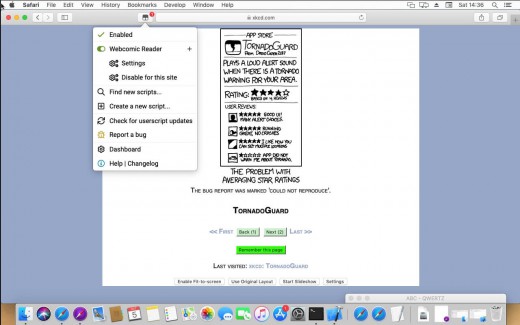
Tampermonkey 4.17.6162

Description: Tampermonkey is the most popular userscript manager, with over 10 million users. It’s available for Safari, Chrome, Microsoft Edge, Opera Next and Firefox.

Tampermonkey makes it very easy to manage your userscripts and provides features like a clear overview over the running scripts, a built-in editor, ZIP-based import and export, automatic update checks and browser and cloud storage based synchronization.

This extension is installed in just a minute, so give it a try!

Note: Please use Tampermonkey at macOS 10.14.4+ for optimal results.

What’s New

Version 4.17.6162:

  • Release notes were unavailable when this listing was updated.

Release Name: Tampermonkey 4.17.6162
Size: 13.58 MB
Links: HOMEPAGE – NFO – Torrent Search

Download: UPLOADGiG – NiTROFLARE – RAPiDGATOR

6 Comments
May 29

Downcast 2.11.10

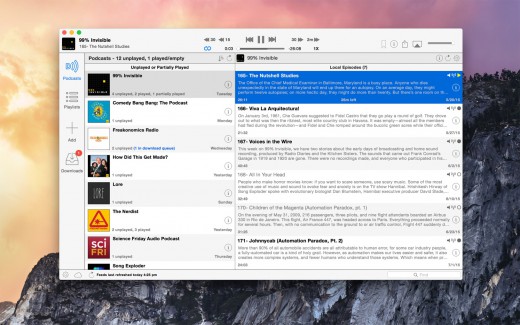
Description: Downcast lets you download, play, and sync** your favorite podcasts with an intuitive interface built specifically for podcasts.

Subscription Features

  • Search, subscribe to, and download audio and video podcasts
  • Manually subscribe to podcasts via URL
  • Download podcasts automatically (including resuming downloads)
  • Browse and download older podcast episodes
  • Auto-update podcast feeds based on schedule
  • Settings for auto-download and episode retention (globally and per-podcast)
  • Import and export podcast feeds via OPML
  • Import supported audio/video media files
  • Support for password-protected feeds
  • Create and edit “smart” playlists
  • View podcast details and episode show notes
  • Rename podcast subscription names
  • iCloud Syncing
  • Sync podcast subscriptions, playlists, settings and episode information with other Macs and iOS devices** via iCloud
  • Playback Features
  • .5x, 1x, 1.5x, 2x and 3x speed playback*
  • Chapters support for enhanced podcasts
  • Stream episodes without downloading

What’s New

Version 2.11.10:

  • Fixes a potential startup crash

Release Name: Downcast 2.11.10
Size: 24.43 MB
Links: HOMEPAGE – NFO – Torrent Search

Download: UPLOADGiG – NiTROFLARE – RAPiDGATOR
5 Comments
May 29

Allavsoft Video Downloader Converter 3.24.7.8182

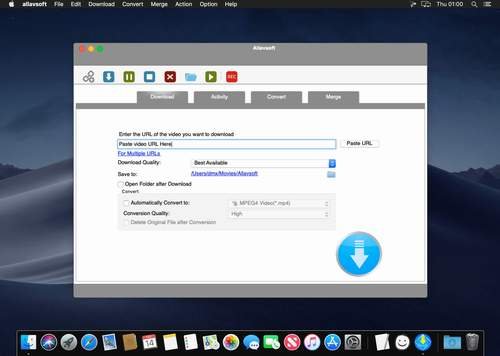
Description: Allavsoft Video Downloader Converter 3.20.0.7230 This powerful Video Downloader supports downloading movies, music videos, playlist, sport videos, lectures and more from free video sharing website like Facebook, Dailymotion, eHow, and more than 100 video sharing sites.

Besides downloading video in its original format, Allavsoft also features one-click to download as well as convert the downloaded video to popular video format like MP4, AVI, WMV, MOV, MPEG-1, MPEG-2, VOB, ASF, RMVB, DV, TS, Apple ProRes, WebM, FLV, OGV and etc.

This ideal Web Video Downloader app enables selecting among all video qualities available for downloading like download videos in ultra high definition (4K), 3D video, HD 2k, HD 1080p, HD 720p, and stand definition 480p, 360p, and 240p. This professional Video Downloading and Converting tool also helps to extract and download audio from online music video or movies as well as convert to popular audio format like MP3, WMA, WAV, AAC, AAC, Apple Lossless M4A, AIFF, RA, FLAC, OGG, AU and etc.

Mon image

This ideal Web Video Downloader app enables selecting among all video qualities available for downloading like download videos in ultra high definition (4K), 3D video, HD 2k, HD 1080p, HD 720p, and stand definition 480p, 360p, and 240p.

This professional Video Downloading and Converting tool also helps to extract and download audio from online music video or movies as well as convert to popular audio format like MP3, WMA, WAV, AAC, AAC, Apple Lossless M4A, AIFF, RA, FLAC, OGG, AU and etc.

Batch download and convert:

  • Allavsoft supports adding multiple video URLs and batch downloading and converting multiple videos at a time
  • When download web video files, this wonderful Video Downloader will automatically detects advertisements and does not download them
  • Preview and playback downloaded video files
  • There is a built-in video player in Allavsoft for us to preview and playback the downloaded video files
  • Breakpoint Resume
  • You can pause and resume downloading at any time. It is very convenient to use
  • Action after download done
  • You can set automatically shut down computer after all the download tasks are finished, if you have lots of videos to download and want to leave your Windows on to download them
  • Keep history for downloading

Release Name: Allavsoft Video Downloader Converter 3.24.7.8182
Size: 72.29 MB
Links: HOMEPAGE – NFO – Torrent Search

Download: UPLOADGiG – NiTROFLARE – RAPiDGATOR

7 Comments
May 29

Linguist 2.7

Description: Linguist lets you quickly translate text from any language, to any other language.


Features

  • Set preferred source and target language
  • Translate between over 103 languages
  • Multiple modes
  • menu bar and window
  • Synonyms for each translation
  • Listen to the pronunciation
  • History of text translation
  • Copy and paste any text

What’s New

Version 2.7:

  • We fixed bugs and made some improvements to enhance your experience with the application.

Release Name: Linguist 2.7
Size: 7.71 MB
Links: HOMEPAGE – NFO – Torrent Search

Download: UPLOADGiG – NiTROFLARE – RAPiDGATOR
5 Comments