May 29

Yate 6.10.1

Description: Yate was developed for people who want complete control over their tagging experience. Supports audio in AIFF, DFF, DSF, FLAC, M4A, M4B, MP3, MP2, MP4, STEM.MP4 and WAV files. Supports video in M4V and MP4.

Yate has a long list of features; most importantly, an innovative scripting system called actions. Actions can be used to update all of an album’s tags with a single operation. Yate also supports integration with AcouticBrainz, AcoustID, Beatport, Discogs, iTunes, MusicBrainz and TMDb. All changes can be easily reverted and individual changes can be undone in any order. Whether you want to automatically or manually tag your files, Yate can do it all!

Release Name: Yate 6.10.1
Size: 24.28 MB
Links: HOMEPAGE – NFO – Torrent Search

Download: UPLOADGiG – NiTROFLARE – RAPiDGATOR

7 Comments
May 29

Native Instruments Massive X 1.4.1

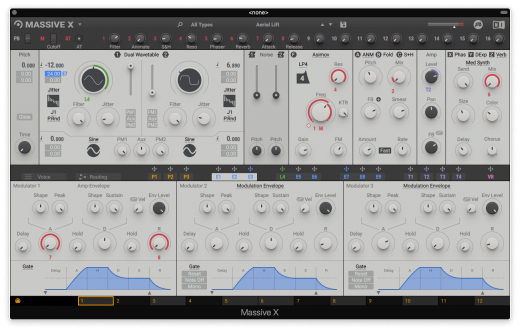
Description: Massive X is Native Instruments’ new flagship synth, built by the same team as its predecessor. Based on a state of the art architecture, it delivers pristine sound, and huge creative flexibility for artists and sound designers alike – allowing them to create, modulate, and experiment with sound from a huge range of sources, in any way they like.

Features:

THE OSCILLATORS

At the heart of MASSIVE X you’ll find the completely new oscillator section – capable of producing more variation than some entire synths, right at the source. Choose from over 170 wavetables and 10 different modes of reading them – from the aggressive Gorilla family, to a wavetable-bending mode, Hardsync, Formant, and many more – each with their own unique sub-modes and additional controls. Dial in two phase-modulation oscillators to inject extra movement into the main oscillators.

ROUTING REIMAGINED

Connect any output to any input, and see what happens. The intuitive routing setup lets you essentially rewire parts of MASSIVE X, meaning you can bypass, feedback, and send audio any way you like. It’s also possible to route modulators as audio sources to excite elements such as the comb filter.

PERFORMERS: MADE TO MODULATE

Draw precise patterns of modulation in the Performer section, and assign them to parameters for complex, evolving patches, or for controlled changes to your sound. You can then use the Remote Octave control to trigger them on your keyboard, meaning you get truly playable modulation and huge expressive variety within a single patch.

Included expansions:

  • Bounce
  • Bump
  • Drive
  • Haze
  • Mechanix
  • Moebius
  • Our House
  • Pulse
  • Quest
  • Rush
  • Scene

Formats:

  • macOS; AU, VST3, VSTi

What’s New

Version 1.4.1:

  • MASSIVE X is available as AAX, AU, VST and VST3 Plug-ins in this version.
  • MASSIVE X requires an Intel processor with AVX or an Apple Silicon processor.
  • On Apple Silicon machines, Rosetta 2 must be installed in order to install and use MASSIVE X.
  • The MASSIVE X Factory Library is a separate installation, be sure to install via NATIVE ACCESS.
  • FIXED Reduced the aliasing of the SVF filter in LP4 mode when using feedback
  • FIXED Browser icons displayed incorrectly
  • FIXED Intermittent crashes in Logic
  • KNOWN ISSUE VST3 crashes in Reaper on macOS during scan (but still passes validation)
  • KNOWN ISSUE Host automation parameter names are fixed to “Macro” in Logic and GarageBand on Apple Silicon computers
  • KNOWN ISSUE Intermittent crashes when used with Mainstage

Release Name: Native Instruments Massive X 1.4.1
Size: 1.13 GB
Links: HOMEPAGE – NFO – Torrent Search

Download: UPLOADGiG – NiTROFLARE – RAPiDGATOR

7 Comments
May 29

Mellel 5.1.2

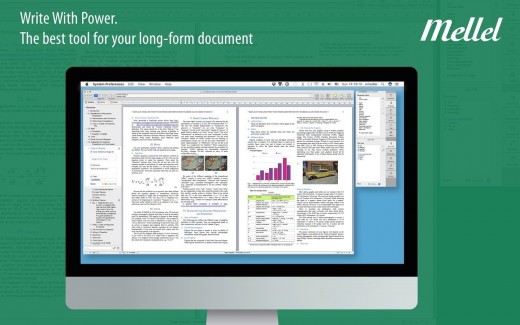
Description: Mellel is the leading word processor for OS X and has been widely considered the industry standard for long form documents since its inception. Mellel focuses on writers and scholars for technical writing and multilingual word processing. It offers special tools to help you write and organize long documents easily. If you need multilingual support or are writing bi-directional text, Mellel is just the thing for you: Arabic, Persian, Hebrew, and Syriac never looked better on a Mac. Even if you don’t need all the bells and whistles, Mellel is still the right choice for you: clean, stable, and easy to use.

What’s New

Version 5.1.2:

  • Release notes were unavailable when this listing was updated.

Release Name: Mellel 5.1.2
Size: 116.37 MB
Links: HOMEPAGE – NFO – Torrent Search

Download: UPLOADGiG – NiTROFLARE – RAPiDGATOR

7 Comments
May 29

Sublime Text 4.0 Build 4133 Dev

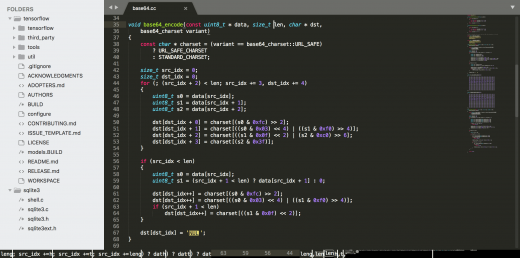
Description: Sublime Text is a sophisticated text editor for code, markup, and prose. You’ll love the slick user interface, extraordinary features, and amazing performance.

Features

  • Goto Anything. Use Goto Anything to open files with only a few keystrokes, and instantly jump to symbols, lines, or words. Triggered with ⌘P, it is possible to:
    • Type part of a file name to open it
    • Type @ to jump to symbols, # to search within the file, and : to go to a line number

    These shortcuts can be combined, so tp@rf may take you to a function read_file within a file text_parser.py. Similarly, tp:100 would take you to line 100 of the same file.

  • Multiple Selections. Make ten changes at the same time, not one change ten times. Multiple selections allow you to interactively change many lines at once, rename variables with ease, and manipulate files faster than ever. Try pressing ⇧⌘L to split the selection into lines and ⌘D to select the next occurrence of the selected word. To make multiple selections with the mouse, take a look at the Column Selection documentation.
  • Command Palette. The Command Palette holds infrequently used functionality, like sorting, changing the syntax, and changing the indentation settings. With just a few keystrokes, you can search for what you want, without ever having to navigate through the menus or remember obscure key bindings. Show the Command Palette with ⌘⇧P.
  • Distraction-Free Mode. When you need to focus, Distraction-Free Mode is there to help you out. Distraction-Free Mode is full-screen, chrome-free editing, with nothing but your text in the center of the screen. You can incrementally show elements of the UI, such as tabs and the find panel, as you need them. You can enter Distraction Free Mode using the View/Enter Distraction Free Mode menu.
  • Split Editing. Get the most out of your wide-screen monitor with split-editing support. Edit files side-by-side, or edit two locations in the one file. You can edit with as many rows and columns as you wish. Take advantage of multiple monitors by editing with multiple windows, and using multiple splits in each window. Take a look at the View/Layout menu for split-editing options. To open multiple views into the one file, use the File/New View into File menu item.
  • Instant Project Switch. Projects in Sublime Text capture the full contents of the workspace, including modified and unsaved files. You can switch between projects in a manner similar to Goto Anything, and the switch is instant, with no save prompts. All your modifications will be restored next time the project is opened.
  • Plugin API. Sublime Text has a powerful, Python-based plugin API. Along with the API, it comes with a built-in Python console to interactively experiment in real time.
  • Customize Anything. Key bindings, menus, snippets, macros, completions and more – just about everything in Sublime Text is customizable with simple JSON files. This system gives you flexibility as settings can be specified on a per-file type and per-project basis.
  • Cross-Platform. Sublime Text is available for OS X, Windows and Linux. One license is all you need to use Sublime Text on every computer you own, no matter what operating system it uses. Sublime Text uses a custom UI toolkit, optimized for speed and beauty, while taking advantage of native functionality on each platform.

What’s New

Version 4133:

  • Release notes were unavailable when this listing was updated.

Release Name: Sublime Text 4.0 Build 4133 Dev
Size: 47.10 MB
Links: HOMEPAGE – NFO – Torrent Search

Download: UPLOADGiG – NiTROFLARE – RAPiDGATOR

6 Comments
May 29

ExactScan Pro 22.5.27

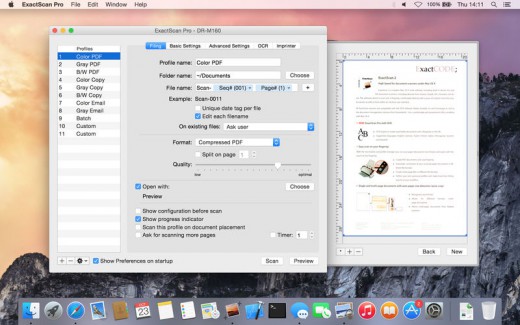
Description: ExactScan Pro is the professional scan solution for a paperless office on the Mac. ExactScan comes with over 400 drivers for professional document scanners from Avision, Canon DR-series, Fujitsu fi-series, Kodak, Oki, Panasonic, Visioneer and Xerox, which otherwise do not come with a Mac driver.

Features

Scan all your documents for fast retrieval, and get rid of dusty paper archives. Find searchable PDF everywhere with Spotlight in a snap.

• Over 400 native built-in drivers for professional document scanners from Avision, Canon, Fujitsu, HP, Kodak, Oki, Panasonic, Visioneer and Xerox
• Support for a variety of third party scanners via ImageCapture and TWAIN drivers
• Save to PDF, TIFF, JPEG, JPEG 2000, PNG, BMP, PNM
• Advanced and intelligent image processing algorithms
• Auto-crop & de-skew
• Blank page removal
• Direct scan to print
• Profiles to configure scan workflow
• AppleScript support for professionals
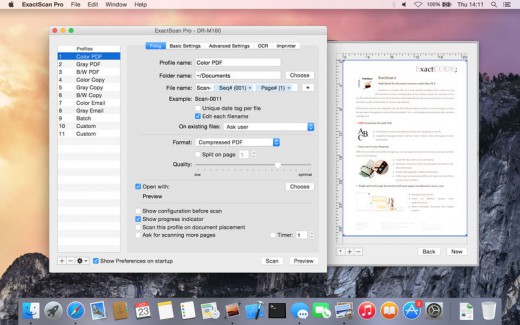
ExactScan Pro additionally includes

• OCR to directly create searchable PDF files
• Content based page de-skew
• Automatic rotation, color- and source detection
• Imprinter to print flexible text into the scanned image
• Barcode recognition to file stacks by barcodes
• Batch processing of existing image files

The following languages are supported by the OCR

Bulgarian, Croatian, Czech, Danish, Dutch, English, Estonian, French, German, Hungarian, Italian, Latvian, Lithuanian, Polish, Portuguese, Rumanian, Russian, Serbian, Slovenian, Spanish, Swedish, Turkish, Ukrainian

What’s New

Version 22.5.27:

  • Release notes were unavailable when this listing was updated.

Release Name: ExactScan Pro 22.5.27
Size: 21.17 MB
Links: HOMEPAGE – NFO – Torrent Search

Download: UPLOADGiG – NiTROFLARE – RAPiDGATOR

6 Comments
May 29

ExactScan Enterprise 22.5.27


Description:
ExactScan Pro offers high-speed document scanning. It is a popular, easy-to-use OS X scanning app that utilizes built-in drivers for over 200 document scanners, including devices from Avision, Kodak, Oki, Visioneer, and Xerox.


Features

With built-in OCR, ExactScan Pro recognizes the text in images and transform scans to editable and searchable documents, faster and more accurate than before. Together with the OS X Spotlight indexing system ExactScan Pro allows you to quickly find and retrieve archived documents.

What’s New

Version 22.5.27:

  • Release notes were unavailable when this listing was updated.

Release Name: ExactScan Enterprise 22.5.27
Size: 21.13 MB
Links: HOMEPAGE – NFO – Torrent Search

Download: UPLOADGiG – NiTROFLARE – RAPiDGATOR

6 Comments
May 29

calibre 5.43.0

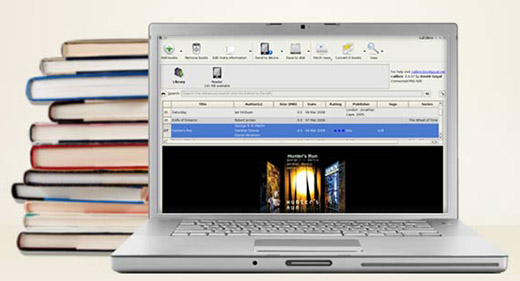
Calibre is an e-book library management application. It is free, open source and cross-platform in design and works on Linux, OSX and Windows.Calibre is meant to be a complete e-library solution and thus includes, library management, format conversion, news feeds to ebook conversion as well as e-book reader sync features.
Calibre is an application that allows you to view, convert and organize e-books in a simple manner.
The user interface of the program is simple to use. You can add e-books (from a single or multiple directories) by using the file browser or the “drag and drop” function. You can also add books by entering their ISBN code.
In the tag browser you can sort e-books according to their author, language, series, format, publisher, rating, as well as news, tags and identifies.

So, you can or edit metadata individually or in bulk, get covers, merge e-book records, convert e-books individually or in bulk (in the XML, CSV, EPUB, MOBI and other formats), as well as send e-books to devices.
You can also use the “Fetch news” feature to news from websites and convert them into a preferred e-book format. It is possible to schedule news s, add a custom sources or all scheduled news sources as well.
Calibre allows you to create libraries and toggle between them, a

Release Name: calibre 5.43.0
Size:  146.05 MB
Links: HOMEPAGE – NFO – Torrent Search

Download: UPLOADGiG – NiTROFLARE – RAPiDGATOR

6 Comments
May 29

Soulver 3.5.7

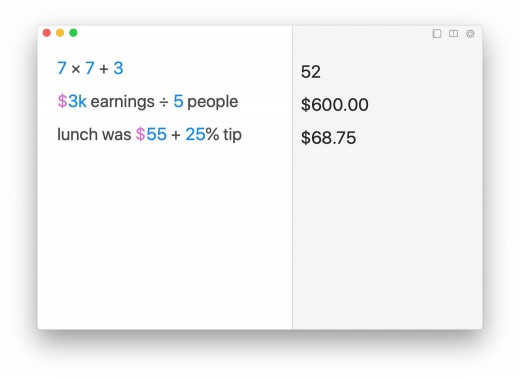
Description: Soulver 3 is a smart notepad with a built-in calculator. It gives instant answers to any calculations it finds in your text. It’s a better way to work stuff out than with a traditional calculator, and a more lightweight tool for quick calculations than a spreadsheet.

Math Features

  • Instant calculations, no equals required
  • Use words alongside numbers, so calculations make sense
  • Quick totals of all your lines, and subtotals
  • Calendar calculations (June 9 + 3 weeks, 3:35 pm + 6 hours 27 minutes)
  • Easy percentages (“$300 – 10%”, “30 as a % of 200”)
  • Unit conversions (“10 kg in pounds, “25 meters in feet”)
  • 168 live real-world and cryptocurrency rates.
  • Line references to build little calculating documents
  • Variables & variable autocompleting
  • Global variables & custom units


App Features

  • Dark mode
  • Sidebar for organising your sheets and the ability to make folders
  • Headings (#), comments (//) & labels (:)
  • Customize your syntax coloring & font
  • Automatic number formatting, with spaces around operators and thousand separators
  • Number scrubbing (hold shift and hover over a number)
  • Deep macOS system integration: Touch Bar support, Quicklook, Calculate anywhere services
  • Automation tools: a command-line interface, Alfred workflow, Automator action

What’s New

Version 3.5.7:

  • Release notes were unavailable when this listing was updated.

Release Name: Soulver 3.5.7
Size: 26.87 MB
Links: HOMEPAGE – NFO – Torrent Search

Download: UPLOADGiG – NiTROFLARE – RAPiDGATOR

5 Comments
May 29

Default Folder X 5.6.6

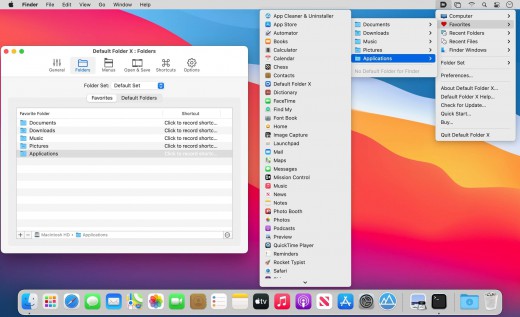
Description: Default Folder X attaches a toolbar to the right side of the Open and Save dialogs in any OS X-native application. The toolbar gives you fast access to various folders and commands. You just click on the buttons to go to your favorite and recently used folders, manage the folders and files shown in the list, and make changes to your settings. It also fixes a number of problems in Open and Save dialogs, “rebounding” to the last selected file, putting the path listing back in the top menu, and correcting bugs in scrolling column views.

Features

  • Directory assistant: You can access the contents of your recent, favorite, and open folders right from Default Folder X’s toolbar.
  • Real time saving: If you’re constantly saving things inside the same folder, Default Folder X can remember that folder for you.
  • Finder management: Default Folder X lets you open up or save to any Finder window with a single click.
  • Instant Recall: To help you quickly return to folders you’ve recently used, Default Folder X remembers them for you.
  • Spotlight on the spot: Default Folder X lets you add Spotlight keywords, OpenMeta tags, and Finder labels on the spot, while you’re still in the Save dialog.
  • Information central: With Default Folder X you get previews below every Open dialog, expanded to fill the available space. Need to see more detail? Click on the image and it zooms up to full size.
  • Workflow without work: Rather than make you learn and set up a new application, Default Folder X blends into OS X.

What’s New

Version 5.6.5:

  • Updated the handling of cloud-synced folders so recent files and folders are correctly tracked on OneDrive, Dropbox, Box Sync and Google Drive. Apple is rolling out updates in macOS that require changes in the way all of these sync services operate, so sync software will need to be up-to-date as well as Default Folder X.
  • Worked around a bug in Chrome, Vivaldi, Brave, Opera and Edge browsers that made it impossible for Default Folder X to turn off the “Hide Extensions” checkbox in their Save dialogs when it needed to.
  • Fixed the instructions for authorizing Screen Recording so they include steps to click on the lock icon in System Preferences if you haven’t already done so.
  • Corrected several bugs that could result in Default Folder X automatically expanding or minimizing Save dialogs when it shouldn’t.

Release Names: Default Folder X 5.6.6
Size: 21.17 MB
Links: HOMEPAGE – NFO – Torrent Search

Download: UPLOADGiG – NiTROFLARE – RAPiDGATOR

5 Comments
May 29

Parallels Desktop Business Edition v17.1.2.51548

Description: Parallels allows you to run Windows and Mac applications side by side. Choose your view to make Windows invisible while still using its applications, or keep the familiar Windows background and controls on your Mac.

Features:

  • Run Windows on your Mac without rebooting
  • Optimized for Windows 10 and ready for macOS Sierra
  • Dozens of other essential Mac and Windows tools

Release Name: Parallels Desktop Business Edition v17.1.2.51548
Size: 246.65 MB
Links: HOMEPAGE – NFO – Torrent Search

Download: UPLOADGiG – NiTROFLARE – RAPiDGATOR

8 Comments